Everything Clarvoy does, in one place.
Every part of facilities on one live data set — and Clarvoy working on top of it: telling you what needs you, checking every dollar, and handling the routine within your limits. Jump to a part, or scroll through it all.
Make the call while it still matters.
Month-end reports tell you what you should have done. Clarvoy puts the numbers in front of you at the moment you decide.
Know if it's fair before you approve it
Every part on the quote arrives already compared with what you've paid for it before, with markup over your contract and repeat repairs still under warranty flagged, and the dollars at stake.
Answers without searching
Type "which HVAC vendor was fastest and cheapest this year?" and get the answer in plain English, with the records it came from and the spreadsheet behind it. No reports to build, no filters to learn.
Numbers that are current, not closed
Spend, on-time rates, recalls and cost per location update as the work happens. Click any number to see the work orders behind it.
The busywork, done for you
Clarvoy reads bids, invoices, receipts, insurance certificates and equipment nameplates, sorts every vendor email by trade, and drafts the RFP questions you'd forget.
The answer first. The routine handled. Every dollar checked.
Three things that sit across every part of Clarvoy. See them in motion on the homepage, or click through the live demo.
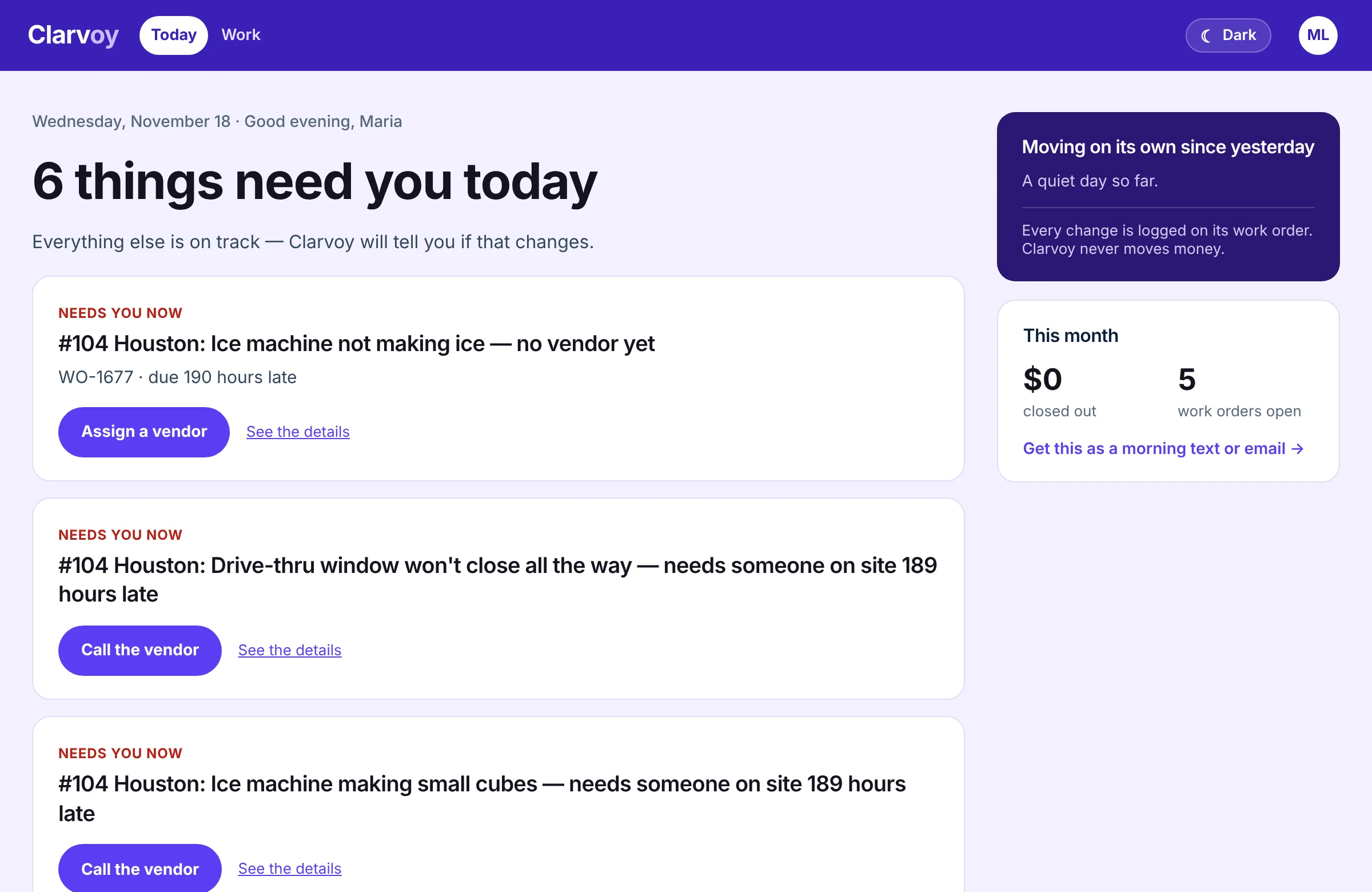
"6 things need you today."
One headline, one card per decision with its button, and what moved on its own since yesterday. Also as a morning text or email.
See Today →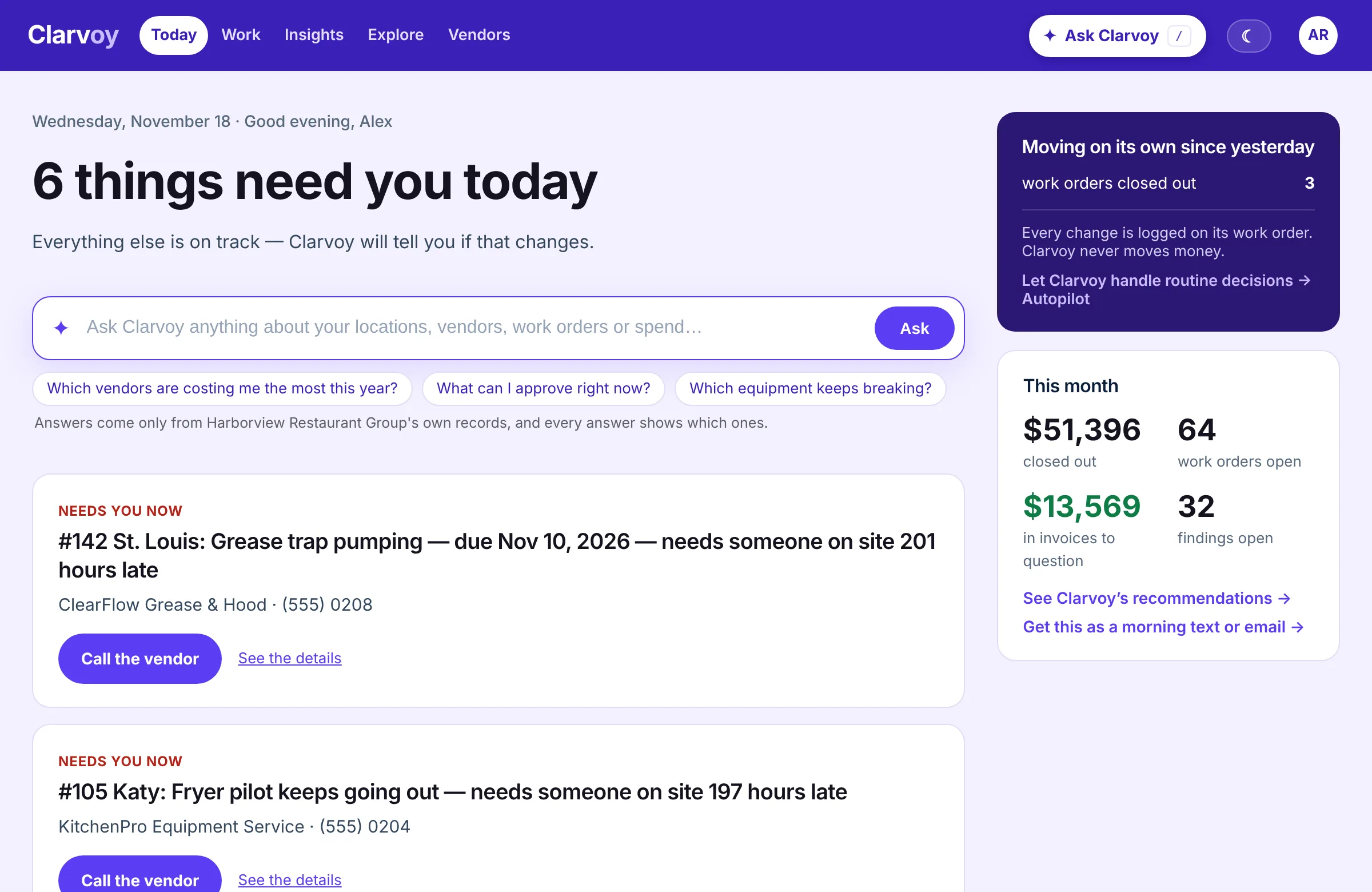
Routine decisions, within your limits.
Second quotes when a quote runs high, invoices billing more hours than the tech was on site sent back, small clean quotes and invoices approved, requests that aren't repairs held. Off until you turn it on — preview first.
See Autopilot →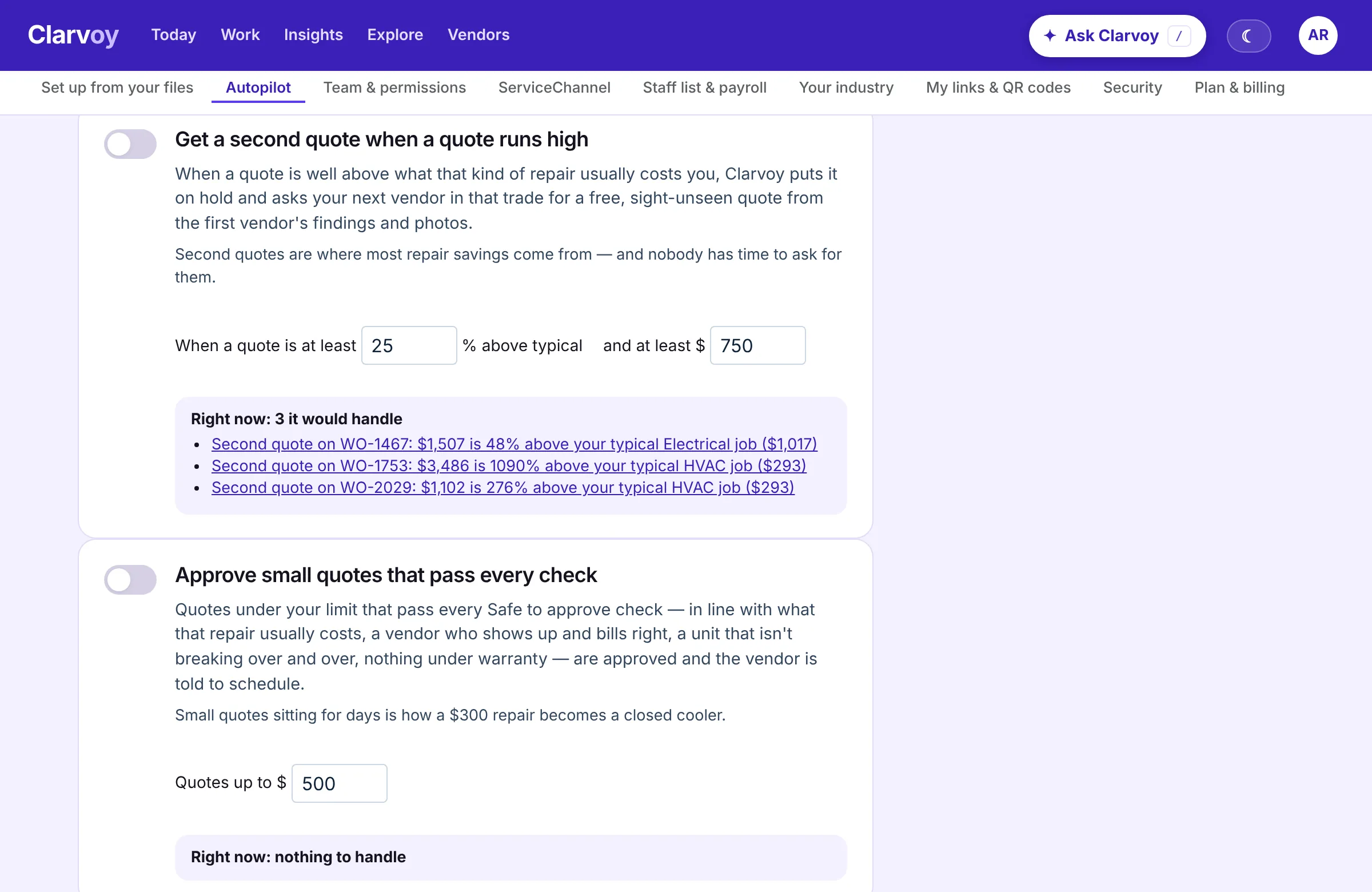
Recommendations ranked by dollars.
Overcharges to recover, prices above what you usually pay, equipment that keeps breaking, utility bills to fix — each with the proof and one thing to do.
See Insights →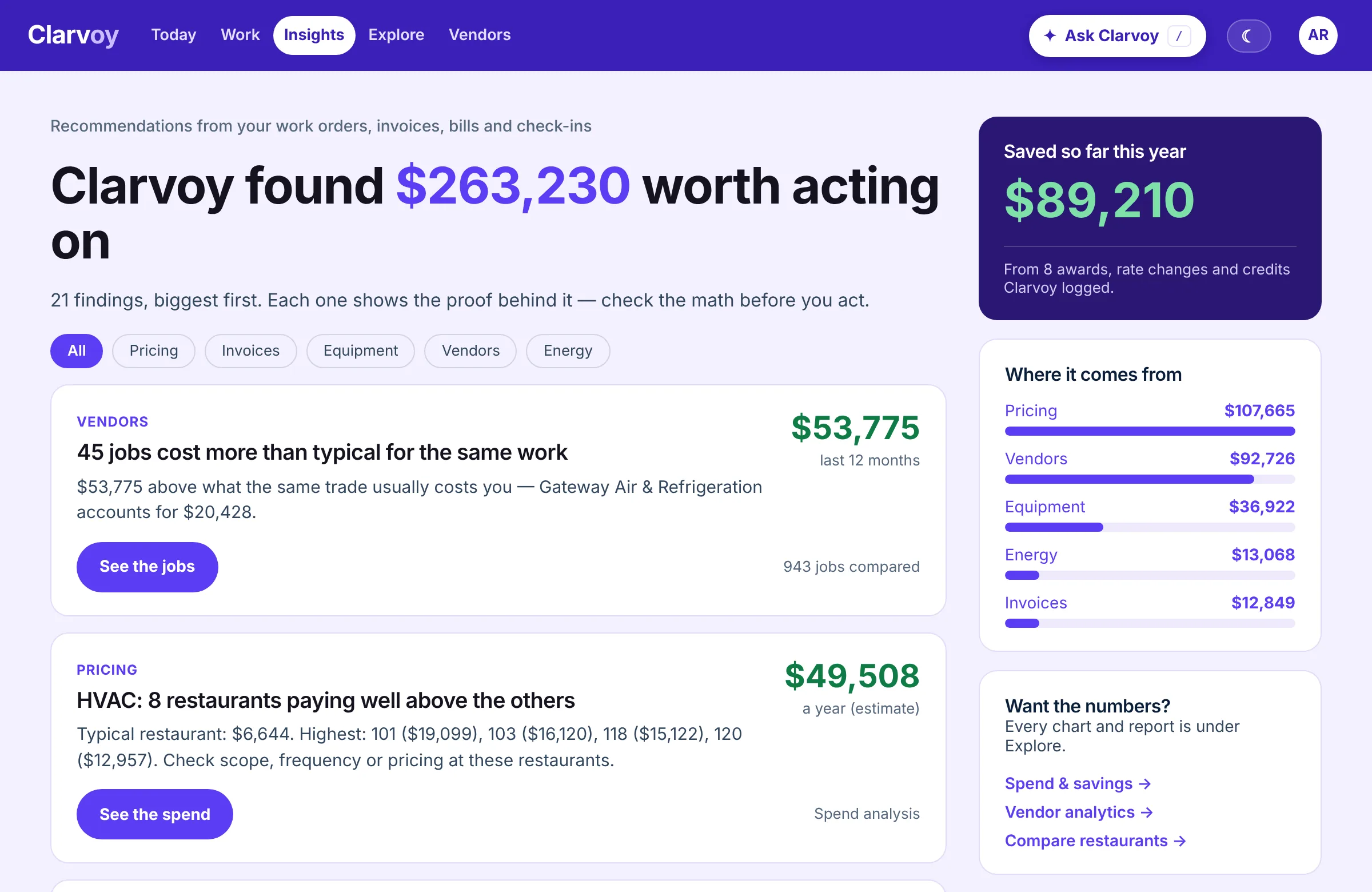
Before you approve, not after.
Every quote line against the rate you agreed and what you've paid before, hours billed against time on site, photos on every finished job, and who you're really paying.
See how →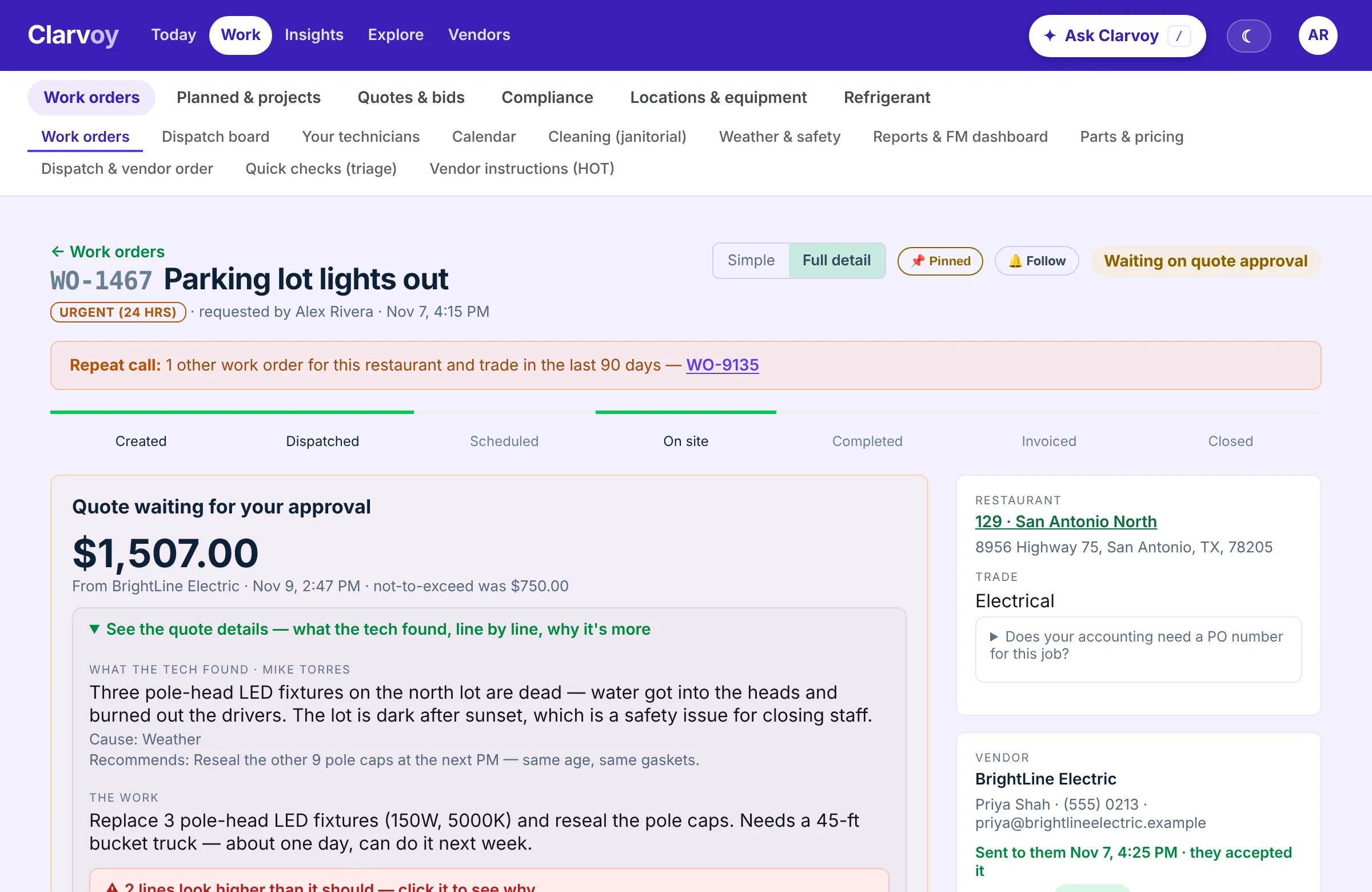
The urgent work first, and nothing sent twice.
Every work order goes to the right vendor at the right rate. Your team only steps in when a decision is needed.
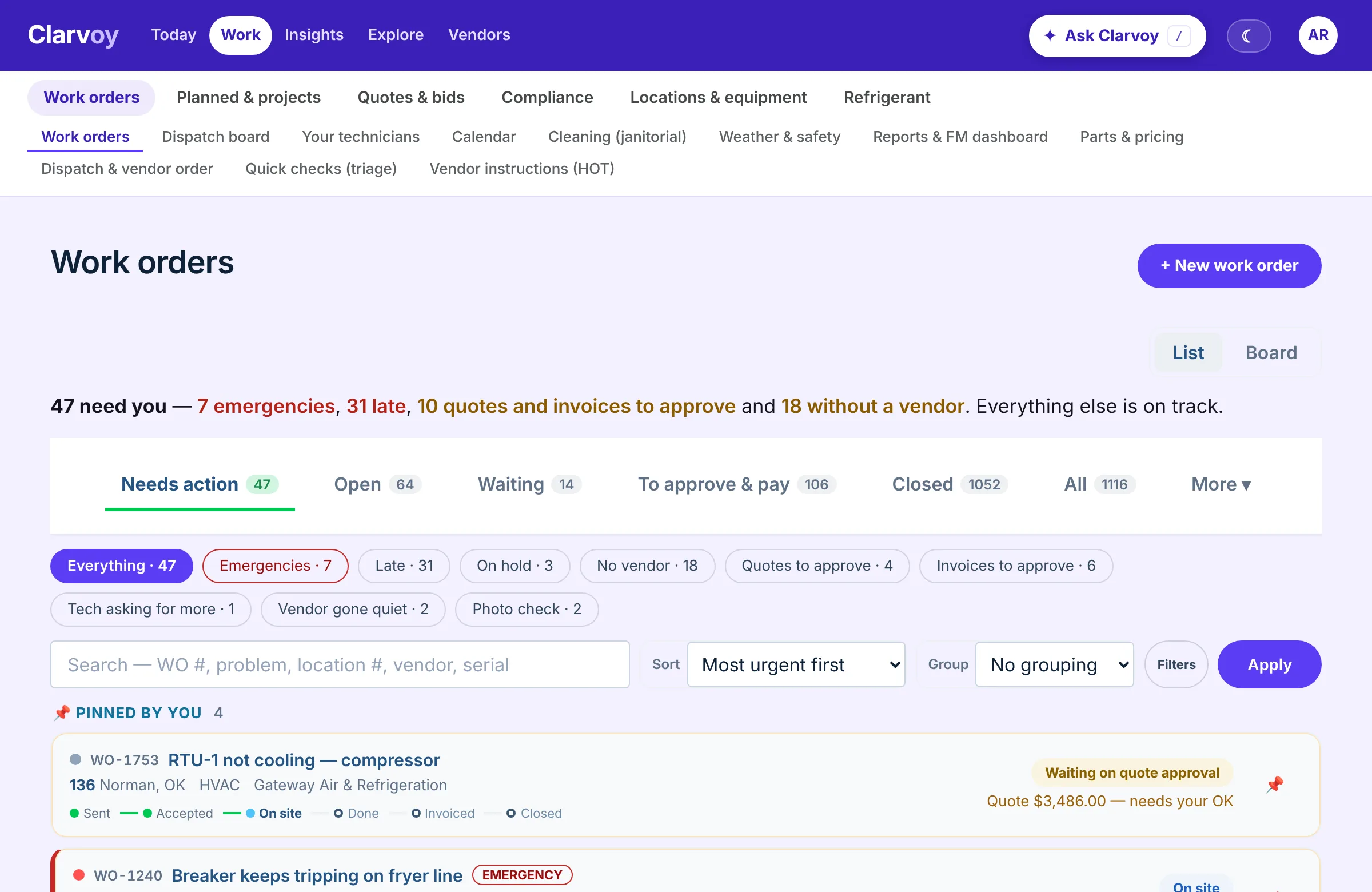
- Emergencies in red, at the top of every list, with a count that tells you how many are open right now.
- Pin the ones you're watching so they stay above everything else, for you.
- Filter by priority, location, region, trade, vendor or date, or search by work order number, problem, location or serial number.
- Duplicates and recalls are held. If the same location already has that problem open, or it was fixed in the last 30 days, Clarvoy holds the new one and asks you before sending it.
- Approval before dispatch for the people you choose, such as location managers. Emergencies still go out right away.
- Every request explains the problem. Locations have to describe what's wrong and how it affects the business before a work order can go out.
More in work orders
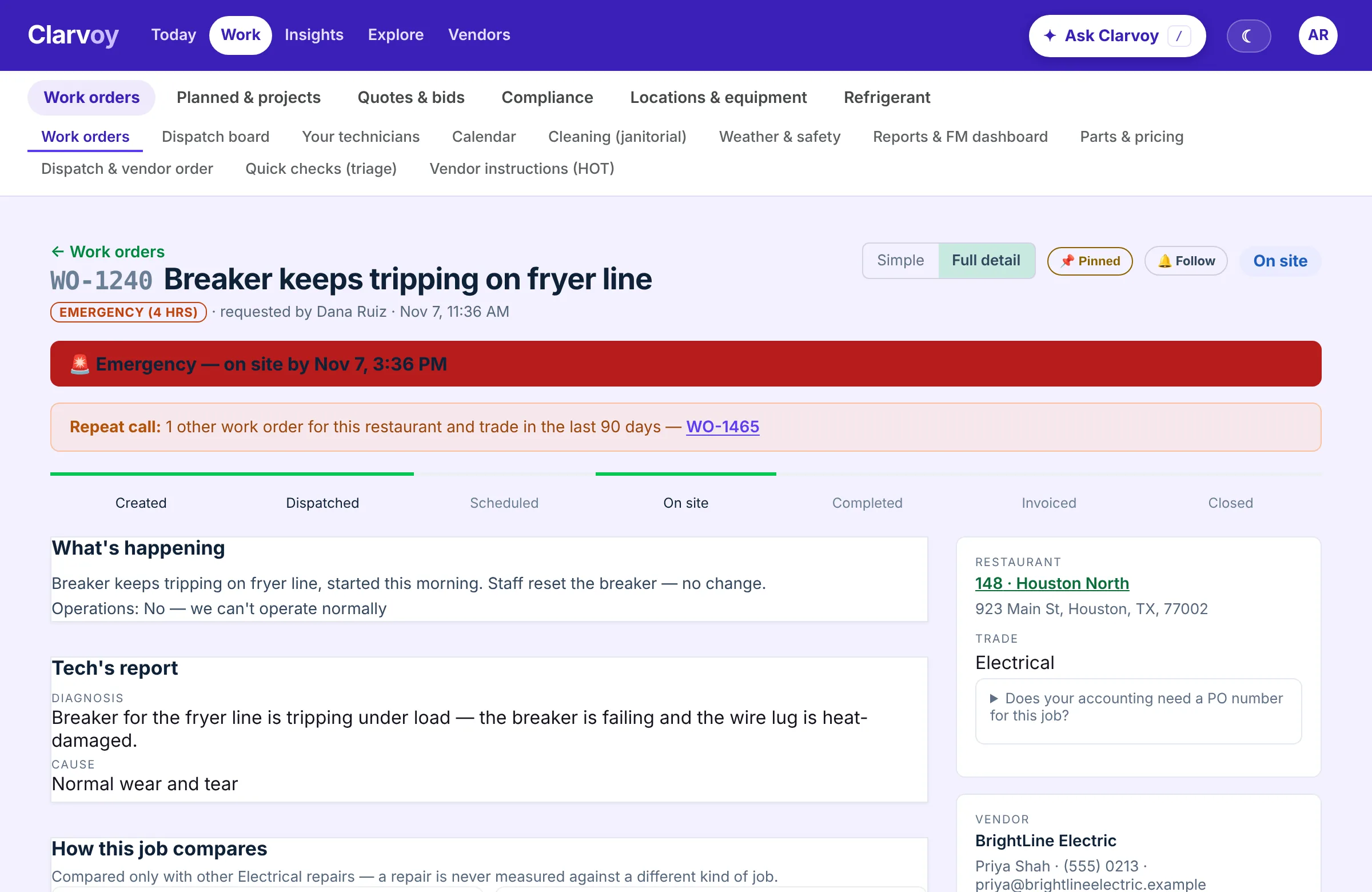
- Work orders that read at a glance.NEW One "Needs action" tab says why each job needs you (emergency, late, on hold, invoice to approve, vendor gone quiet, photo check). Every card shows its stage, from sent to closed, and the next step in plain words. Click a card to open it in place: the latest updates, photos, live arrival time and both invoices. Sort by urgency, next due, stage, location, customer, vendor or amount, group by any of them, and pin the jobs you're watching.
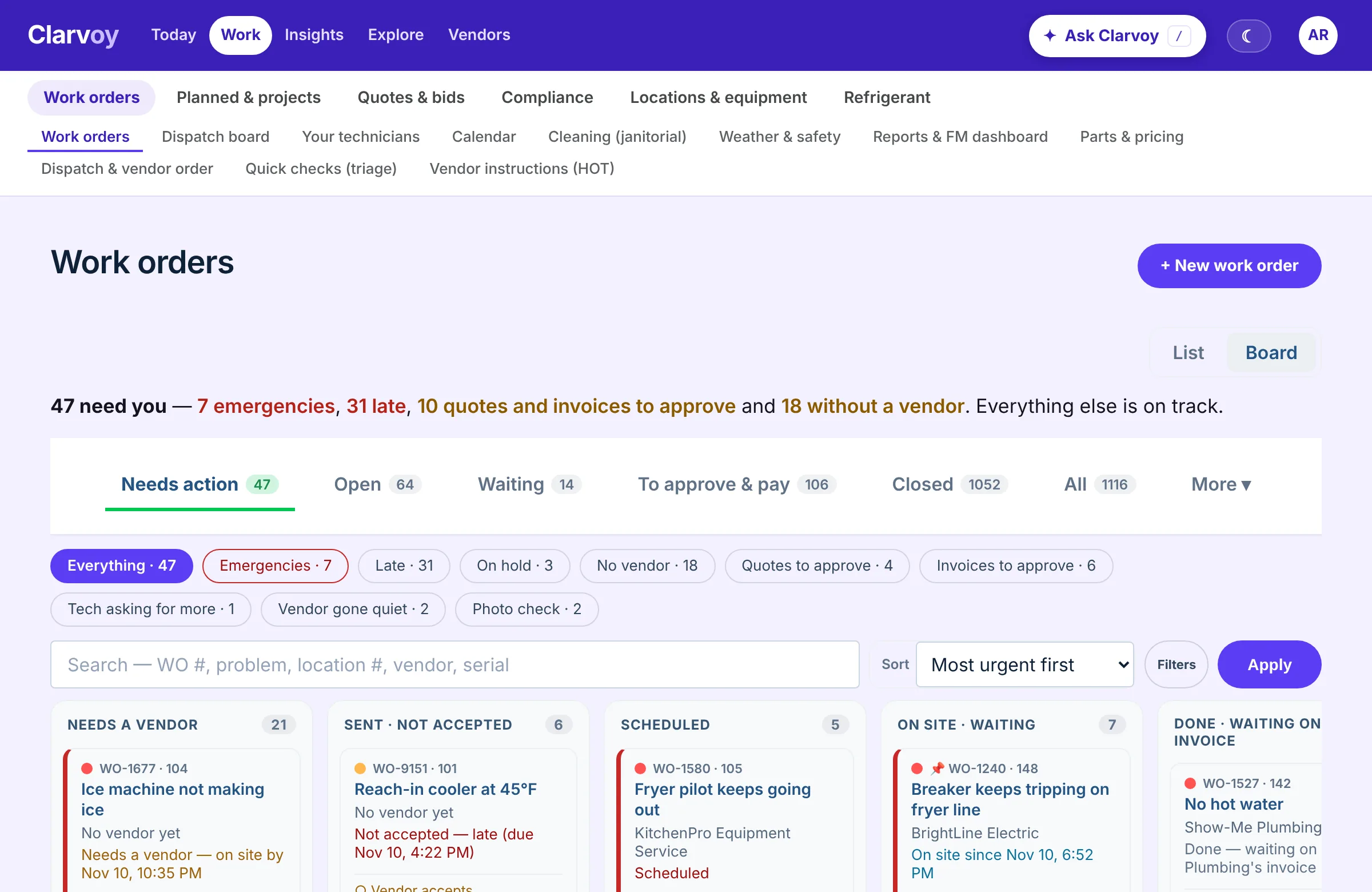
- A board, by stage.NEW The same work orders in columns, from needs a vendor to closed. Each card lists what it still needs before it can move on (an arrival time, after photos, the vendor's invoice, a passed photo check), so nothing skips a step.
- Live tech arrival.NEW The tech taps "On my way" and the location gets a live map with the arrival time, by text or email. Location sharing stops when they check in, and the check-in is confirmed at the location.
- A photo check on every finished job.NEW Pass, fail or needs a second look: do the photos show the right equipment, does it look fixed, is it quality work, do before and after match, and has this photo been sent in before on another job? Failed checks show up before you approve the invoice.
- Quick checks before anyone is sent.NEW When a location reports a clogged toilet or lights out, it's asked to try the simple fixes first (plunger, breaker, bulb, thermostat). If one works, no one goes out and Clarvoy counts the service call you saved. If not, the tech knows what was already tried.
- Updates every few days, or Clarvoy asks.NEW Vendors update open work at least every 3 days (you choose the number). When one goes quiet, Clarvoy asks them, then escalates to their manager and tells you who to call.
- Return visits and parts dates.NEW A tech who has to come back records why and when. Parts on order carry an expected date, and Clarvoy chases the vendor when it passes.
- Text for an update.NEW Text a work order or location number to Clarvoy and get where it stands, who's coming, and the live map link.
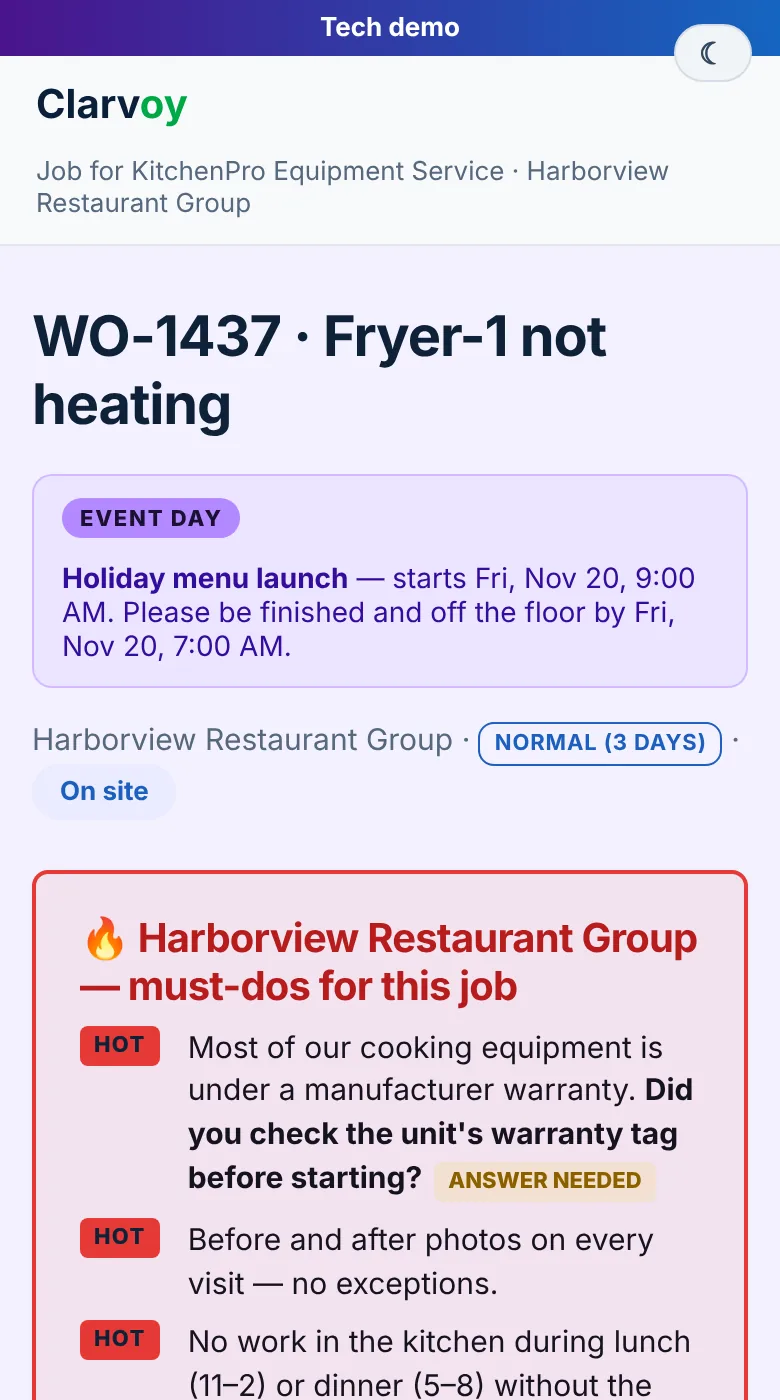
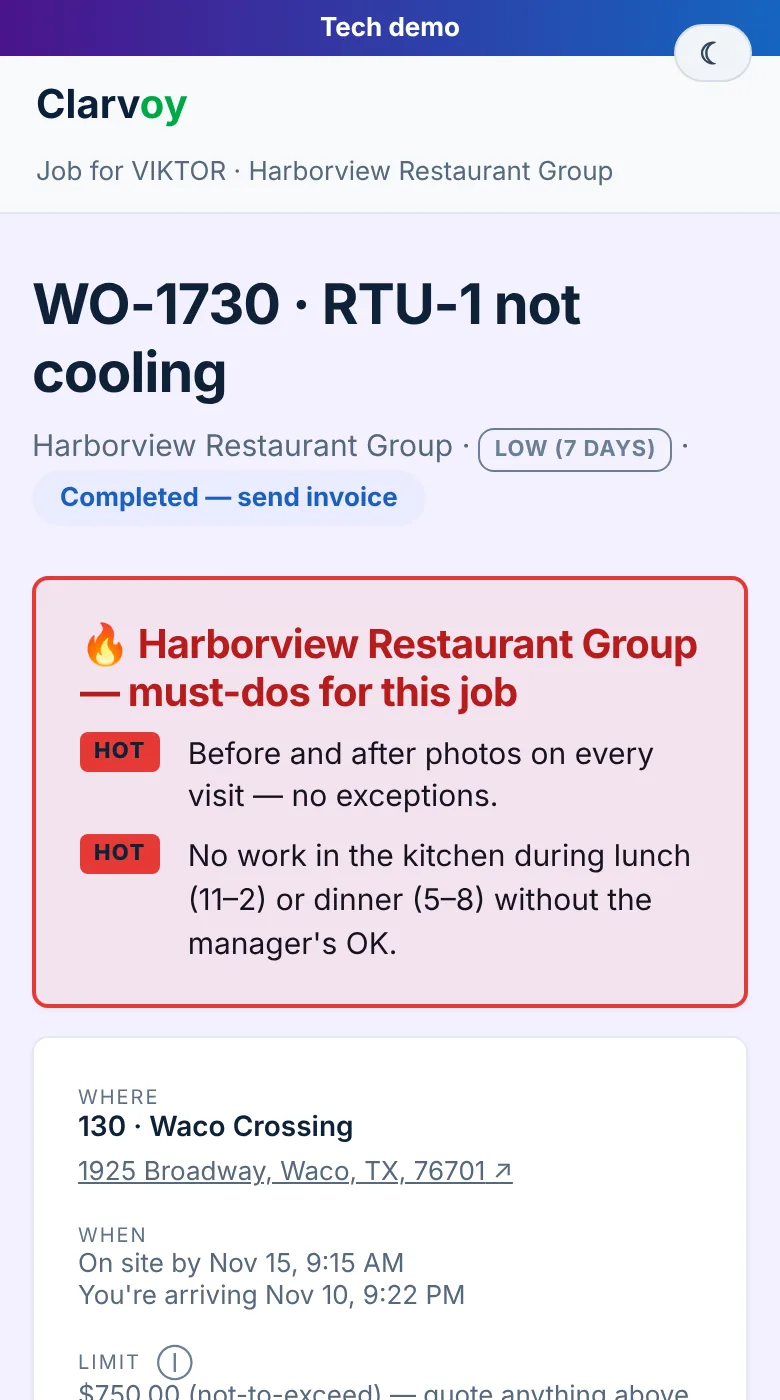
- HOT instructions vendors can't miss.NEW Set must-dos for every trade or one trade, like "24-ft ceilings: is a lift on site, or does one need to be rented?" They show in red on every matching job, and the vendor has to answer before accepting. Add HOT notes to any location, too.
- Every step, all the way to paid.NEW Completed, invoiced, approved but not paid yet, and paid, each with its own filter. Mark a job paid with the check or ACH number, and the vendor is told.
- Every invoice, line by line.NEW Vendors itemize labor hours and rate, trip charge, parts and shipping on every invoice, with labor and trip filled in from the rates you agreed, so you see exactly what you're paying for.
- Vendor said no? Find a tech near the location.NEW Search vendors and independent techs on Clarvoy by distance from the location, clearly marked unverified until you check them. Send the job to one, or let Clarvoy text it down the list, closest first, until someone accepts.
- Quotes you can actually judge.NEW Every quote shows what the tech found, the work line by line (labor hours, parts, lift or truck rental), and why it's more: how far over the limit, how it compares with your typical quoted repair for that trade, and whether labor matches the vendor's rate on file.
- For management companies: are your subs charging too much?NEW Every sub's invoices compared like for like with your other subs, hours billed against hours on site, repeat visits, and the equipment that keeps breaking, by customer.
- Approve from the email or a text.NEW Set a short approval PIN and quotes, invoices and on-site limit increases arrive with Approve and Decline buttons. Tap, type your PIN, done, with no signing in. Anything Clarvoy flagged still opens in Clarvoy so you look first.
- Limits by trade, and for emergencies.NEW Set a different not-to-exceed for each trade, plus a higher one for emergencies. A tech on site who needs more to finish asks in one tap: it's approved automatically up to the amount you choose, or you approve it from the work order.
- A quick start for each person.NEW Two questions on first sign-in (your job, and how much you've used tools like this) and Clarvoy walks you through the five or six things that matter for you, with a plain-words tip on each page. Light or dark screen, your choice.
- Texts that keep techs on track.NEW Vendors text the job link from Clarvoy, and the tech gets reminders: check in when they're running past the arrival time, check out with photos and notes after a few hours on site, and update you when parts are due. With the link open, the page notices when they arrive or leave.
- Quote limits that fit.NEW Clarvoy looks at a year of your own quote decisions, trade by trade: how many you approved anyway, how long locations waited for a quote, your approval and a second trip, and what reviewing them actually saved. Then it suggests where each trade's not-to-exceed should sit, and you set it in one click.
- Batch billing and bulk approval.NEW Vendors bill a client for many completed jobs in one batch, each one still itemized and checked, and you approve the whole batch at once. Anything over its limit or with a warranty question is held back for a closer look. Upload a payment file from accounting to mark everything it paid, with the file kept as proof of payment.
- Warranty check on every quote and invoice.NEW Clarvoy flags work on equipment still under the manufacturer's warranty, a repeat visit by the same vendor within 90 days (their workmanship warranty), and a part replaced on the same unit within a year, with the dollars that should be covered.
- See how every job compares.NEW Cost and hours on site against your other jobs of the same kind, like for like: installs against installs, repairs against repairs, maintenance against maintenance, on the same make and model when there are enough, and emergencies against emergencies. The vendor's rates against your other vendors'. And the labor billed against the time the tech was actually there.
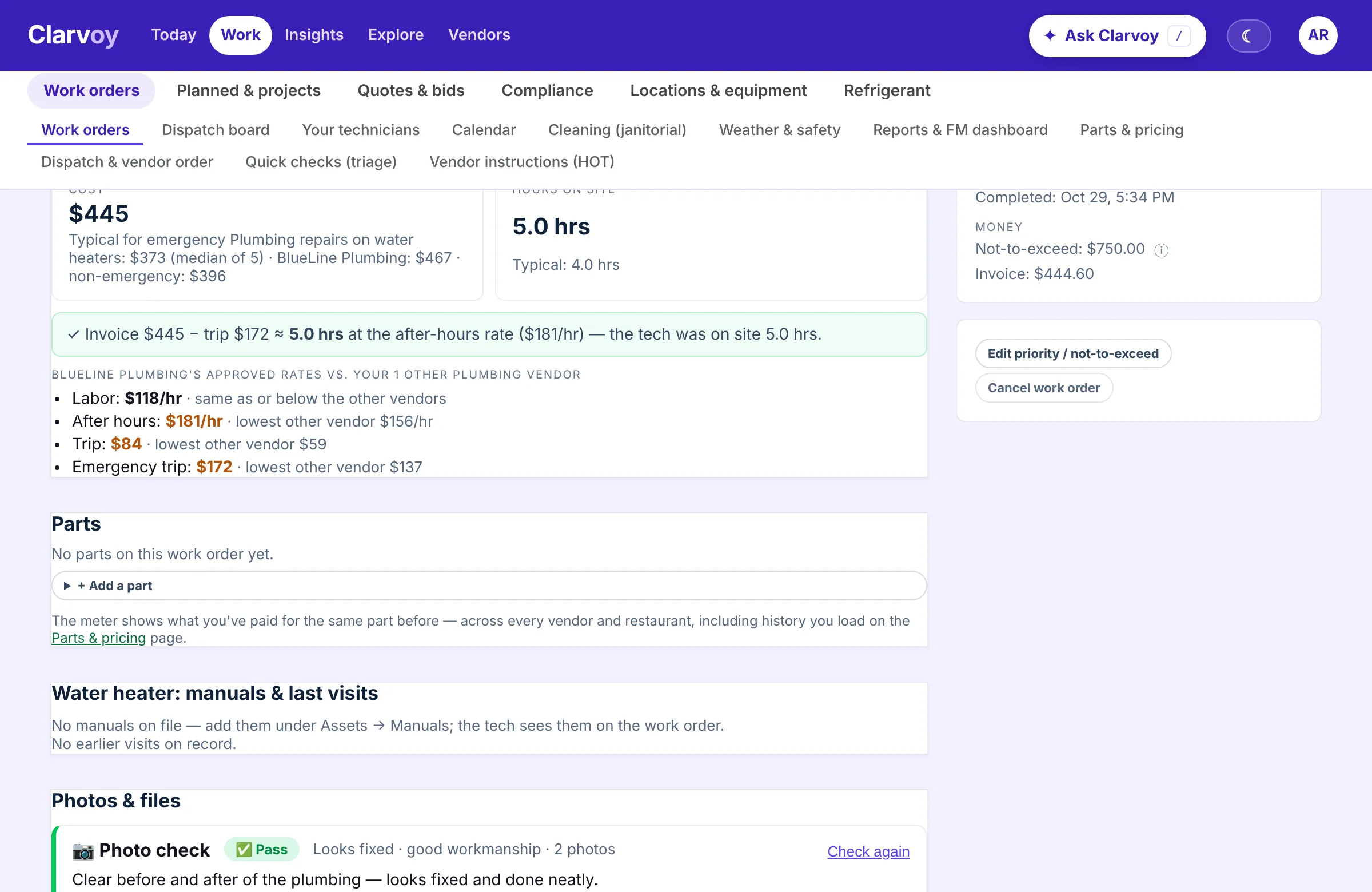
Invoice minus parts minus the trip charge, at the vendor's approved rate, against the time the tech was on site.
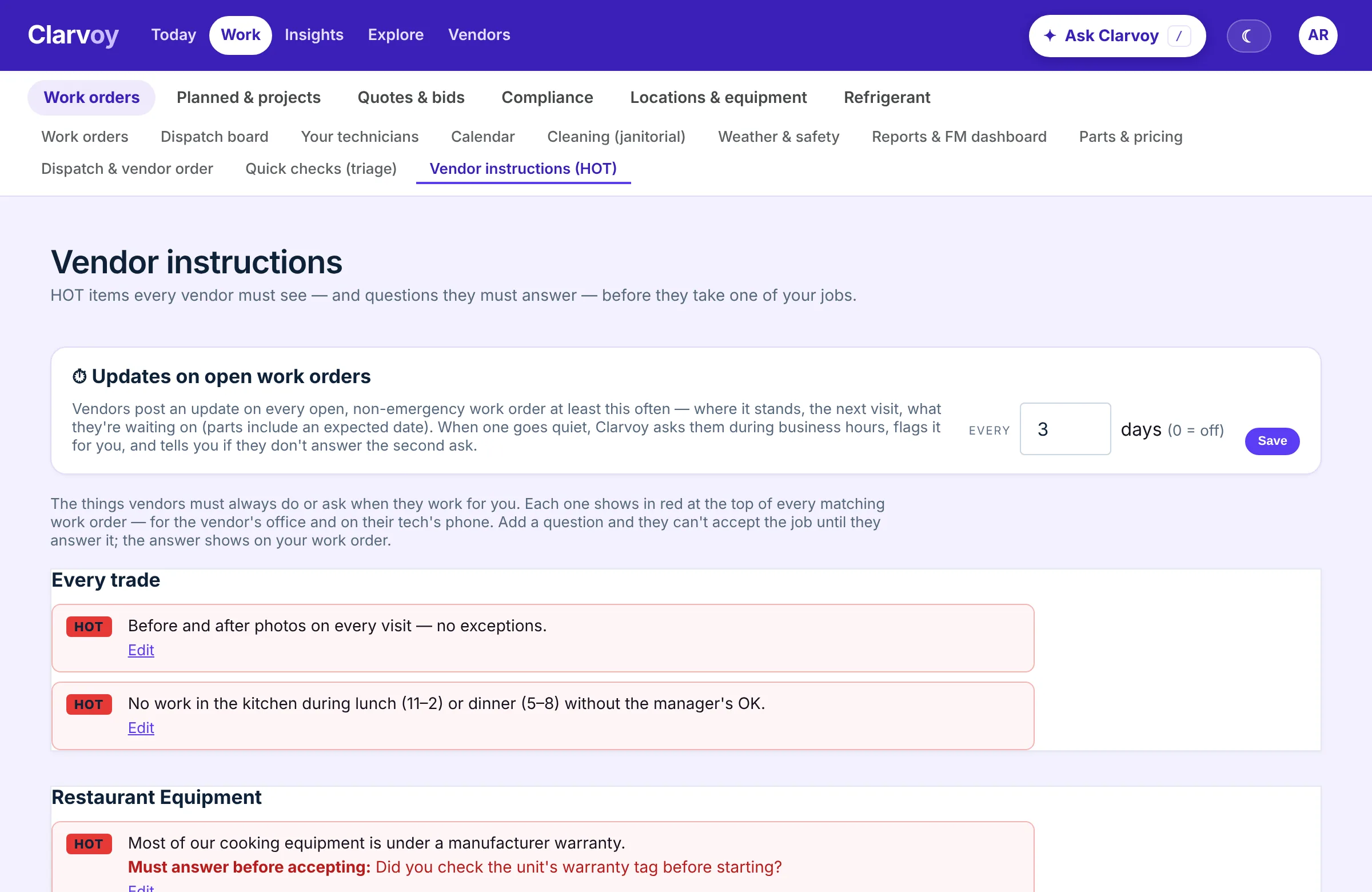
Your must-dos, set once: for every trade, one trade, or one location.
Know the tech was really there, and what they did.
The vendor sends the tech a link. There's no app to install and nothing to sign in to, and it's free for vendors.
- Check-in and check-out are matched to the location's address. You'll see "at the location", or a warning if the phone was somewhere else.
- No phone? Check them in by hand, and record how you know they were there: location staff saw them, the tech called, or the sign-in sheet.
- Notes at every step. The tech records what they see on arrival and what they did before they leave.
- Photos can be required. Turn on "after" or "before and after" photos for every work order, and techs can't check out without them.
- Before they start, they see the manuals and what the last techs found on that unit.
Your maintenance team and your vendors, on one board.
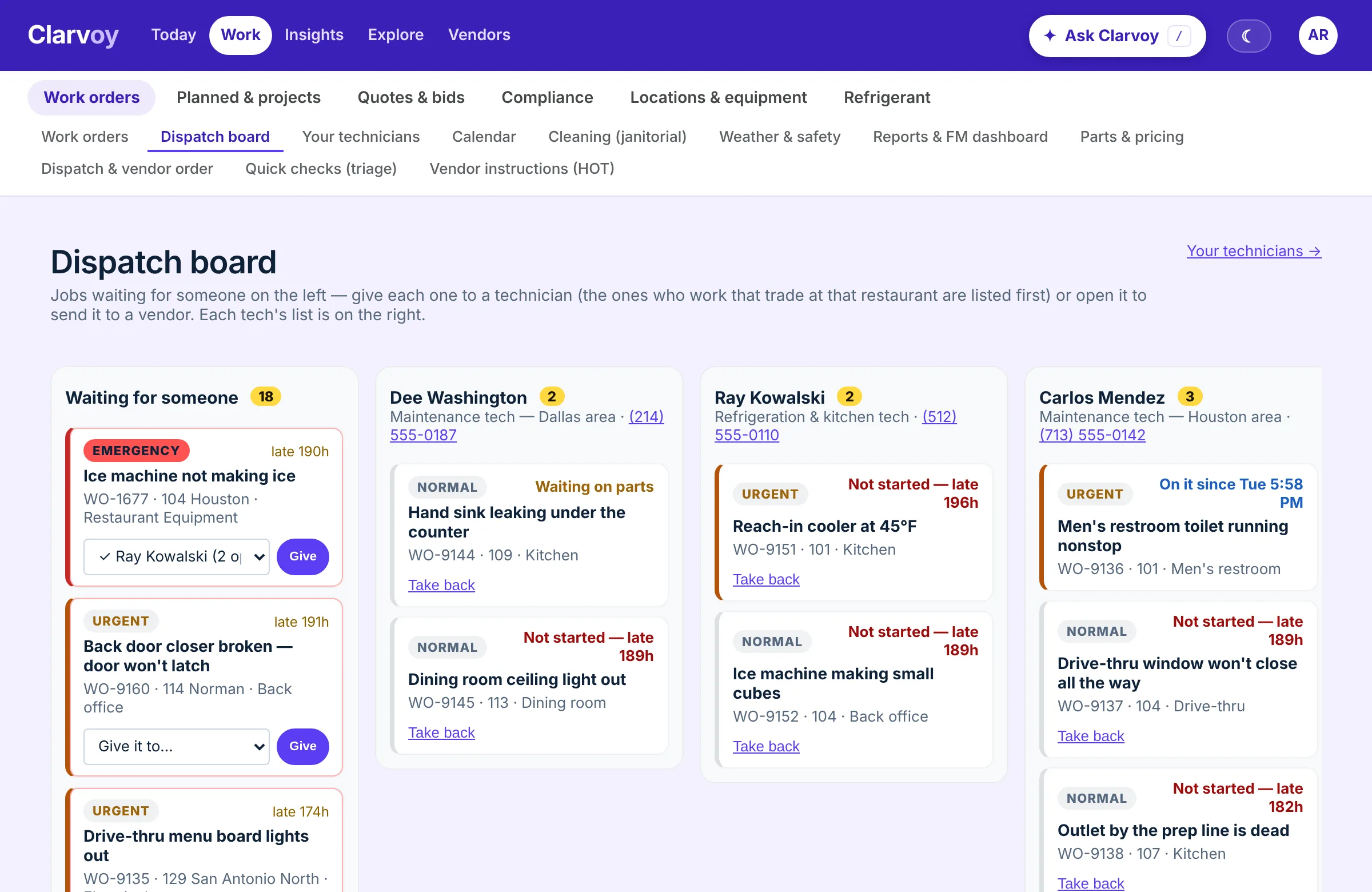
Add your in-house techs with their trades and locations. They work their jobs from a link on their phone, with no app and no login.
- Dispatch board: jobs waiting for someone on the left, each tech's list on the right. The techs who work that trade at that location are suggested first.
- First call for a trade. New work orders in their trades go to your own tech before any vendor. If several are first call, the one with the fewest open jobs gets it.
- Start, notes, photos, done. Labor is timed from start to finish and costed at what each tech is actually paid.
- Equipment QR stickers and rooms. Scan a sticker to request a repair on that unit; every job knows which room it's in.
- Hand it back when it needs a licensed contractor, and it goes to the vendor from the work order.
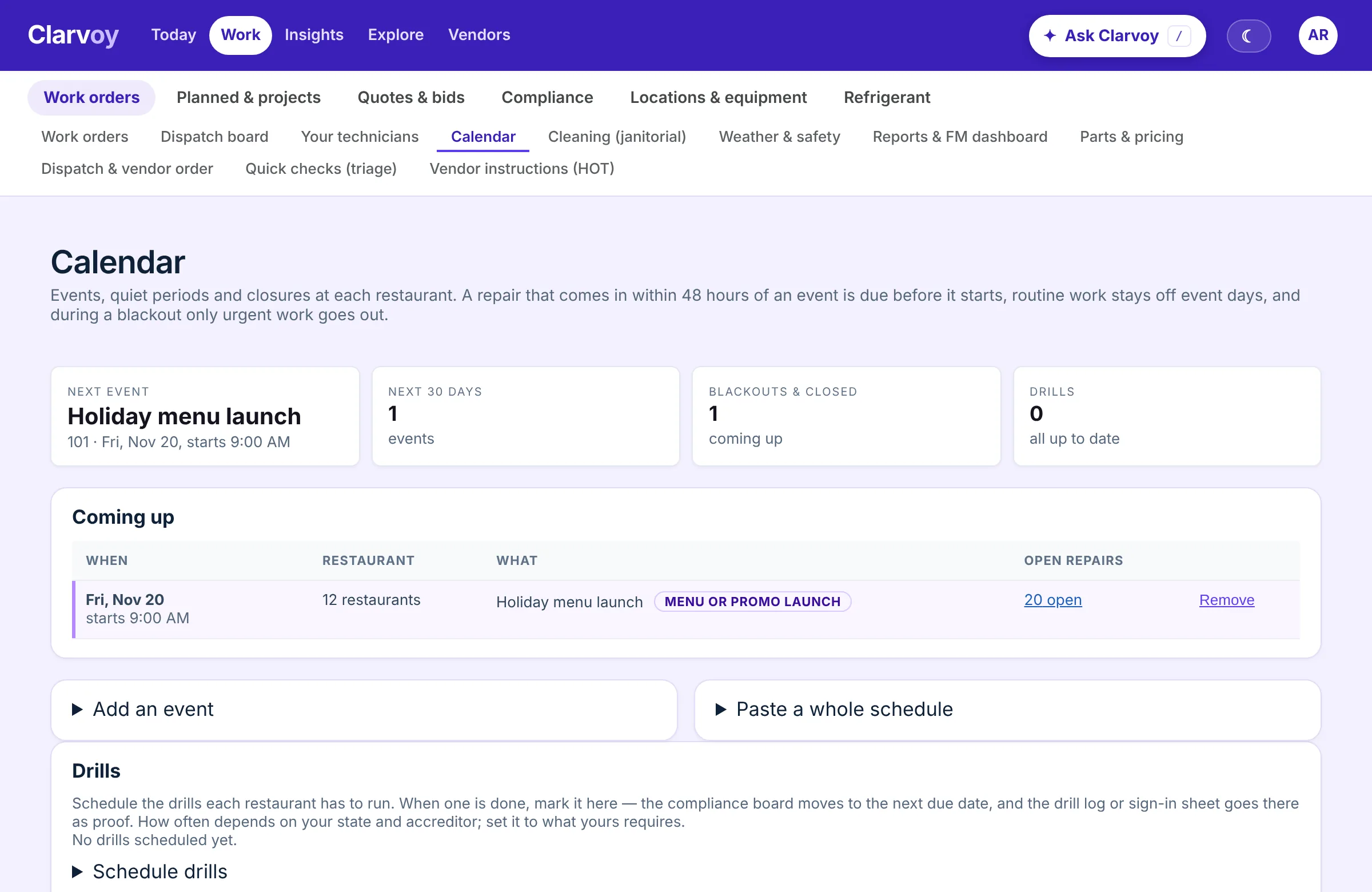
Everything happening at your locations, on one calendar.
Month in squares, week or day, for one location, a region or every location you can see, right on Home.
- Every kind of work: vendor visits and work orders due, preventive maintenance, projects and warranty walks, inspections due, events, blackouts and closures, drills, floor sets, deliveries, bids due and contracts ending. Filter to just what you need and save it as your view.
- Plan around events. Blackouts, closures and drills are on the calendar, so routine work moves off busy days and big work lands on quiet ones.
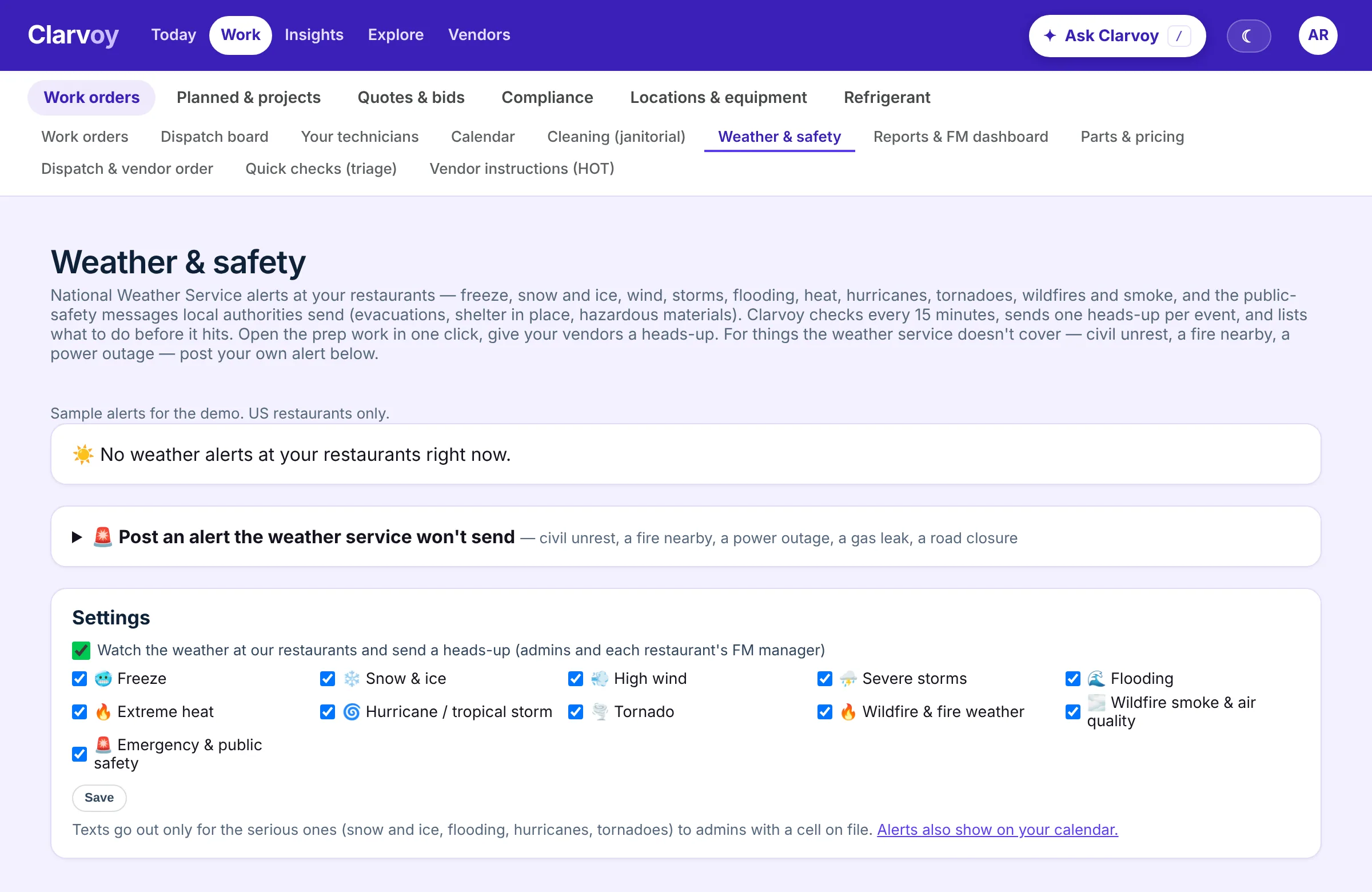
- Weather alerts at your locations, straight from the National Weather Service: freeze, snow and ice, high wind, storms, flooding, heat, hurricanes and tornadoes. One heads-up per storm, with a checklist for each.
- One click to prep. Open freeze prep, snow removal, roof checks after the storm or a hurricane board-up for every affected location, each to its usual vendor.
Answers from your own records. Every answer shows its receipts.
Ask in plain English and Clarvoy looks it up in your work orders, locations, equipment, vendors and bids, never the internet. Under every answer you see exactly which records it used, each one click away, plus the table behind it, ready for Excel. If it isn't in your records, Clarvoy says so instead of guessing.
- Only your company's data, and only the locations each person is allowed to see.
- It can't change anything. It only reads your account, and each person's questions are private to them.
- Every answer shows its receipts and exports to Excel or CSV.
Questions are included with every plan, and the free month includes 25.
- Gateway Air & Refrigeration — $144,642 (122 jobs, HVAC)
- KitchenPro Equipment Service — $132,896 (124 jobs)
- BlueLine Plumbing — $76,247 (89 jobs)
An example answer from the restaurant demo.
Invite the right vendors, then see exactly what their bids mean.
Build an RFP from your location list and specs. Vendors bid location by location from their own dashboard, for free.
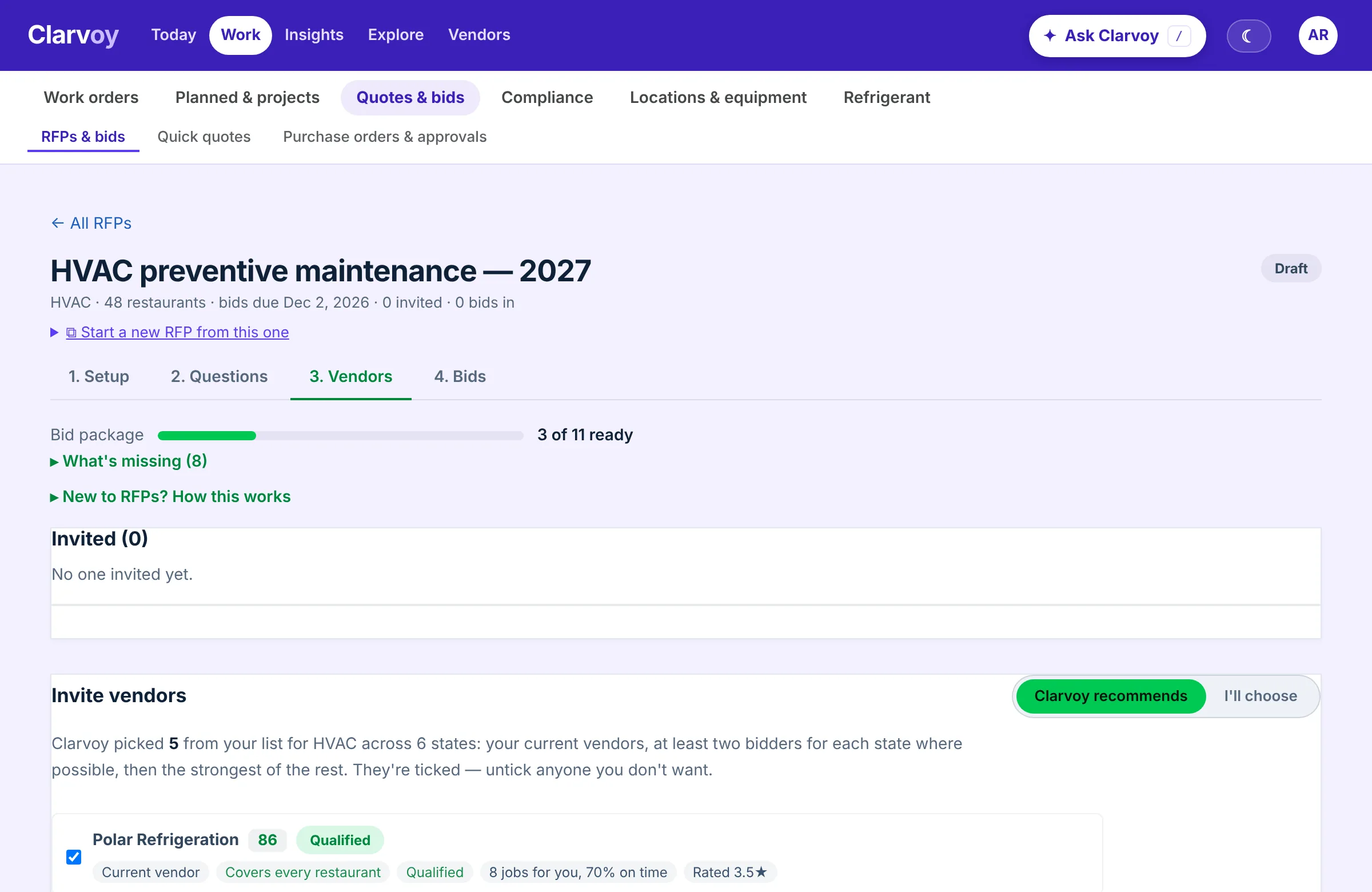
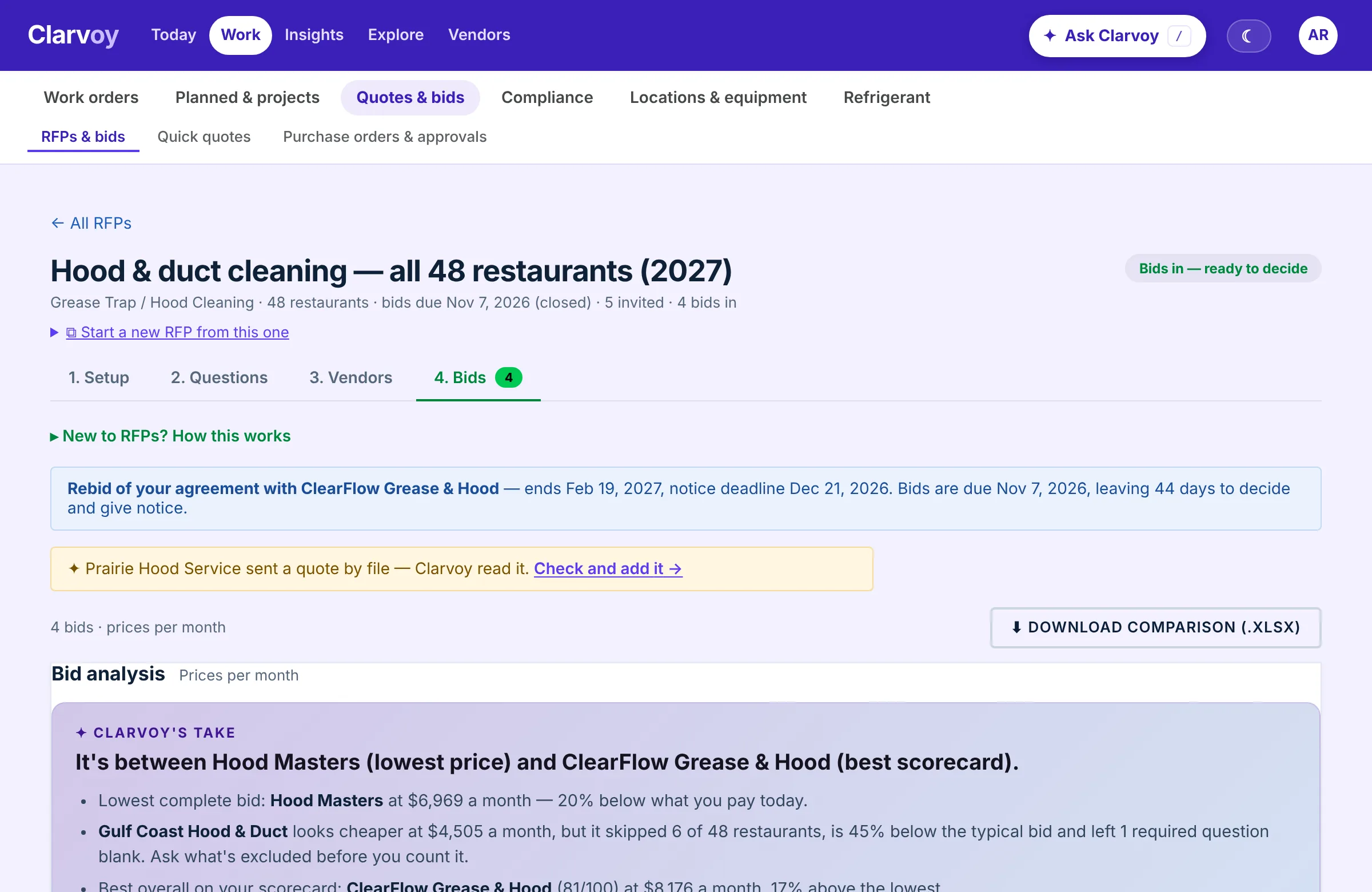
- Weighted scoring your whole team can contribute to.
- Best-and-final rounds and split awards by region or location group.
- Sign-offs recorded: NDA, legal review and approvals.
- Contracts that enforce themselves: CPI caps, fuel formulas, SLA credits and insurance minimums.
Every vendor who wants your business, organized. Every vendor you use, accountable.
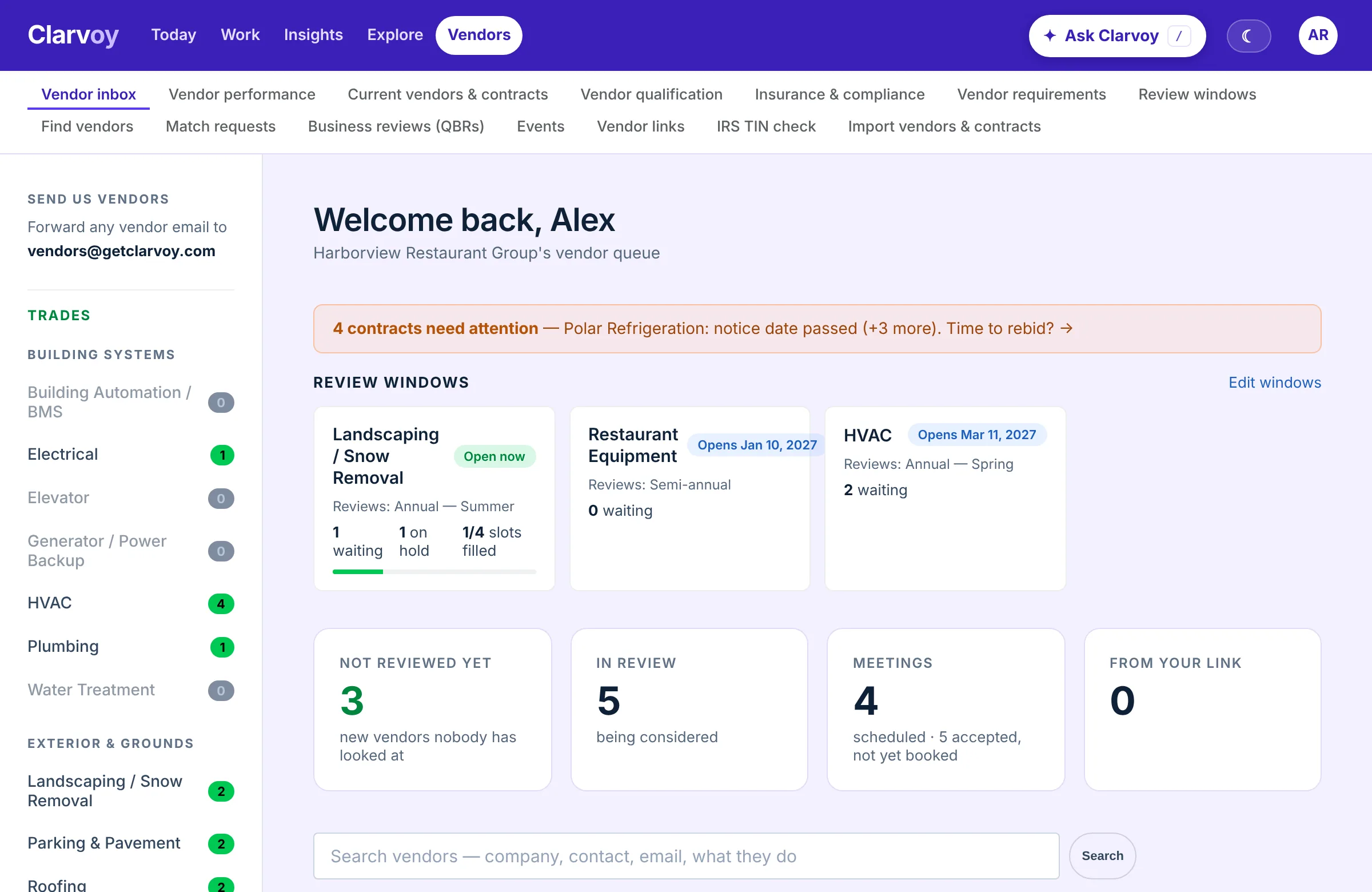
Forward vendor emails to one address, or share a QR code at trade shows. Clarvoy sorts each one by trade, tells them when that trade is next reviewed, and filters out mass marketing.
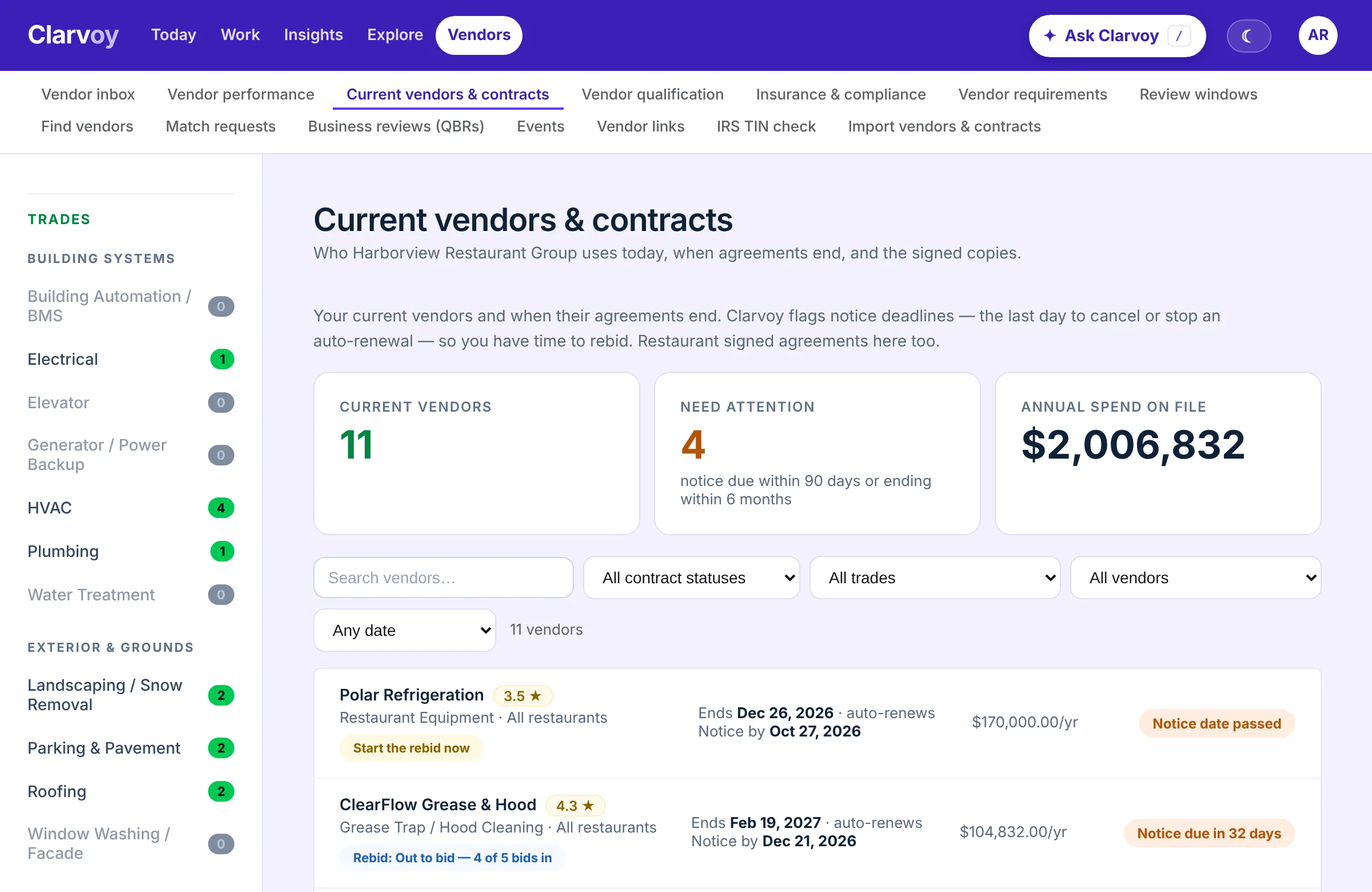
- Insurance and W-9s collected and read, with reminders before anything expires. Dispatch is held if coverage lapses.
- Rates for your account. Vendors submit them, and your approvers approve them or send them back.
- Every vendor's qualification at a glance: five levels from Registered to Preferred, with background checks (sanctions and federal exclusion lists), references, insurance and their record with you. Clarvoy re-checks your vendors every 30 days and tells you if anything changes.
Your vendors get a better way to work, too, so they actually use it.
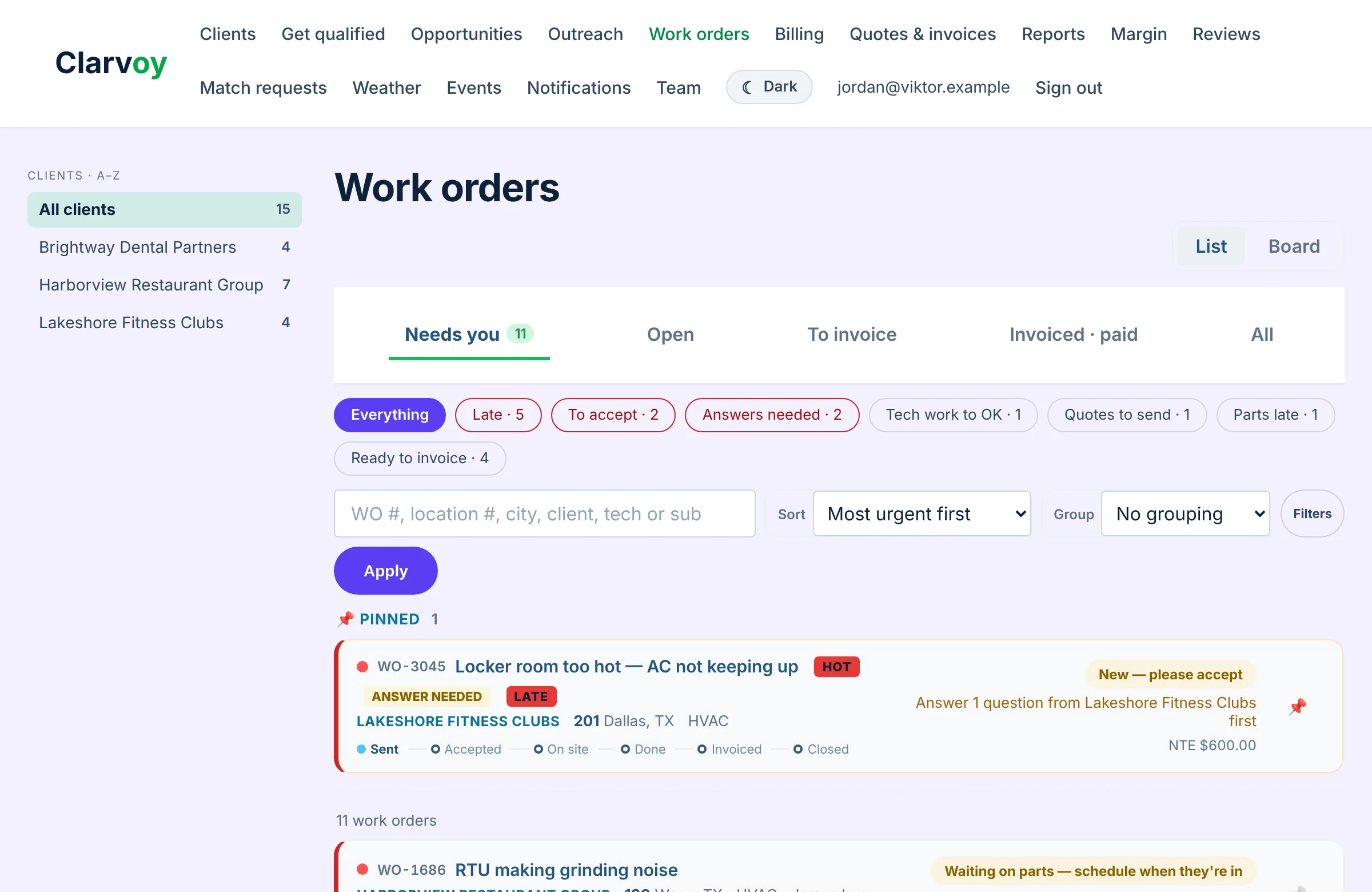
Every vendor gets their own free portal, whether they work for one Clarvoy client or two hundred. That includes facilities management companies that send your jobs on to local techs.
- One list across all their clients, with what needs them now: late, to accept, answers needed, quotes to send, ready to invoice. Filter by client, status, trade or priority, pin what they're watching, and see their clients A–Z down the side.
- Your HOT rules on every job, for the office and on the tech's phone, with your questions answered before they accept.
- Management companies stay in control. Send a job to a subcontractor with a no-login link, then approve the sub's notes, report and invoice before you see anything. Their invoice to the vendor stays private.
- Everything about each client in one place: HOT rules, rates, agreements to sign, RFPs, and the COI and documents that client requires, plus a heads-up when an agreement is coming up for renewal.
- Management companies get their own Clarvoy account,NEW with the same dashboards you have. Your jobs flow straight into their system and on to their local techs, and come back to you only after they've approved the work.
More for vendors
- Margin on every job, for the company it belongs to.NEW A management company sees its sub's line items, and its own invoice to the customer is filled in from that customer's contracted rates and parts markup. Vendors see their price against their tech's or sub's cost. Margin shows on the work order against their target, and in reports by customer, salesperson, trade and month. Clients and subs never see it.
- Every invoice to a customer is checked against their contract.NEW Labor rate, trip charge, parts markup, extra hours and extra fees are flagged line by line. Choose whether a mismatched invoice, or every invoice, needs a manager's OK before it goes out.
- Business reviews for every side.NEW Clients review their vendors, management companies lead reviews with their customers (on Clarvoy or not, shared with a no-login link) and their subs, and vendors review any client. Run them weekly, monthly, quarterly or annually. Each one is built from the work orders (SLA, speed, invoicing, spend, repeat calls, problem locations) against the period before, with recommendations. Download it as PowerPoint or PDF with your logo, log the meeting, set the next one, and assign action items to people at either company.
- Salespeople on every account.NEW One or more per customer, changeable on any job.
- Tag a teammate on any job. Only people who've agreed to be tagged can be, on your side and theirs.
Click any number and see the work orders behind it.
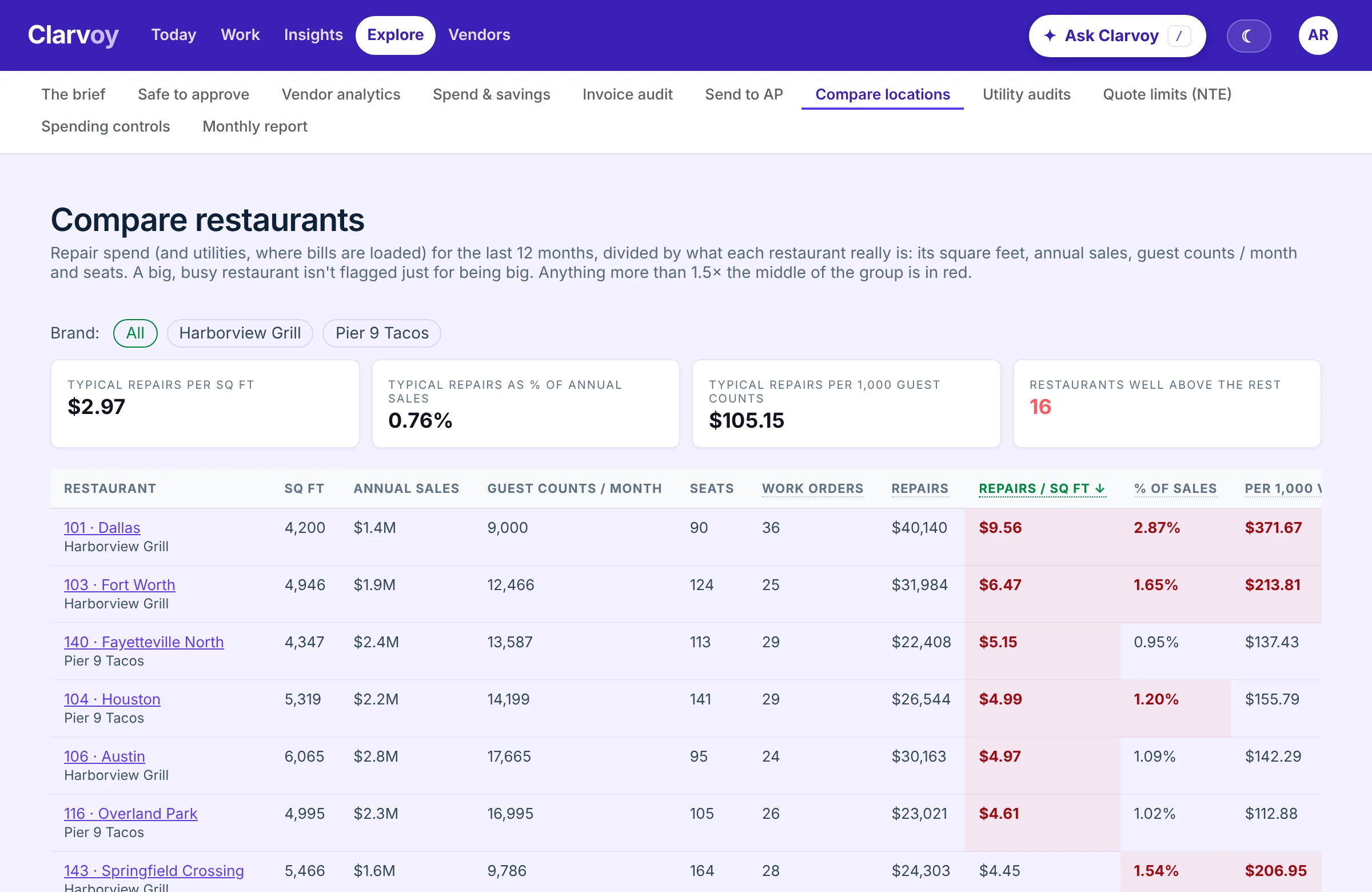
Work orders from Clarvoy and history imported from your old work order system, in one view. Compare locations fairly, by cost per square foot, per dollar of sales, per visit and per member, with the outliers in red. Break it down by brand, region, district, FM manager, state, trade, vendor, emergency or non-emergency, or piece of equipment.
Everything that matters, on one screen
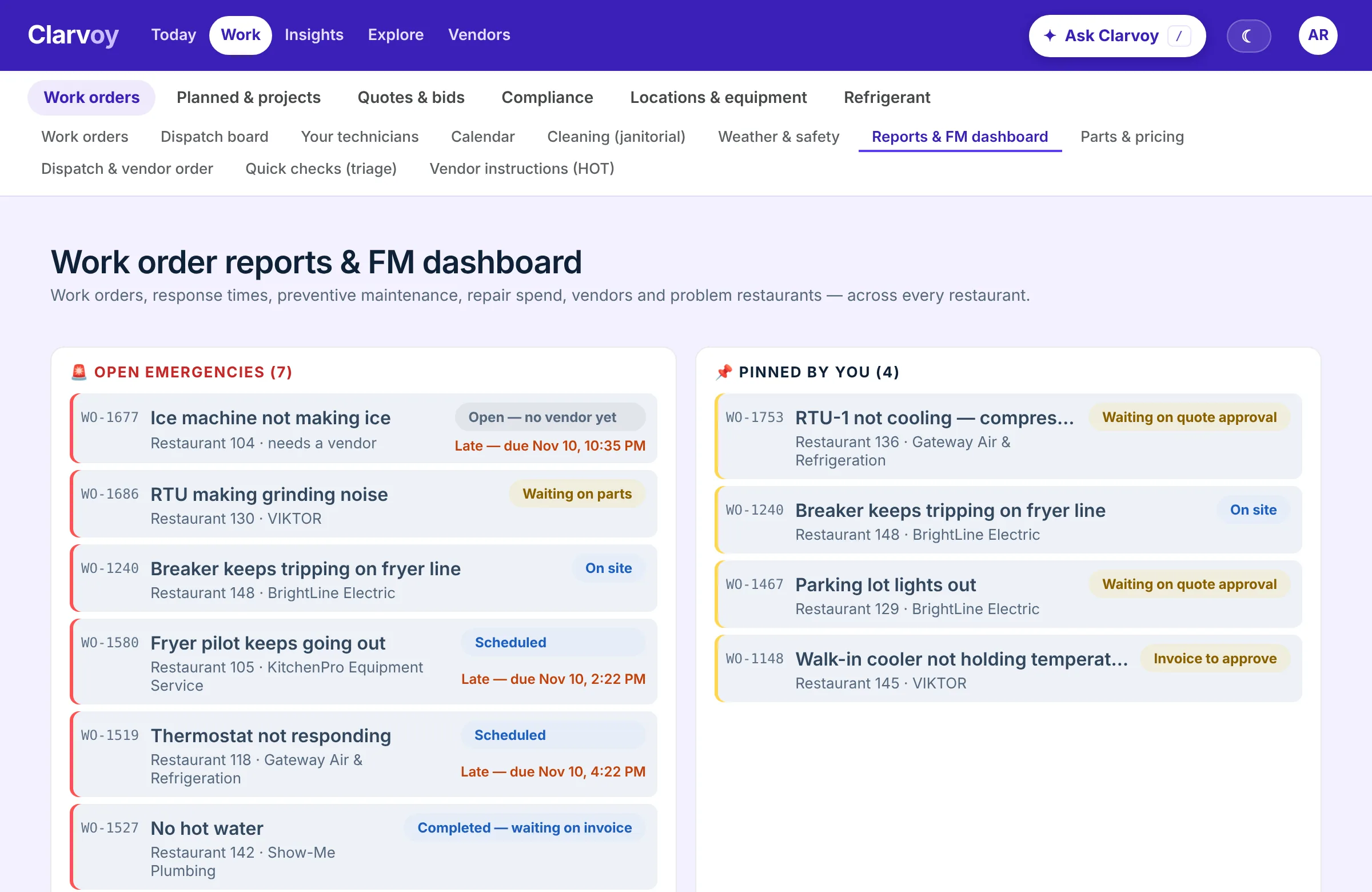
Open emergencies and your pinned work orders up top. Below that: spend per location, emergency versus routine cost, on-time arrival, response times, repeat calls, preventive share and how long quotes and approvals sit, each compared with the last period.
Who's doing well, and who isn't
Regions, districts and FM managers side by side, with the change from last period or last year. Every vendor scored on time, fixed the first time, cost against the trade, invoices and updates, with who deserves more work and where a stronger vendor already works nearby.
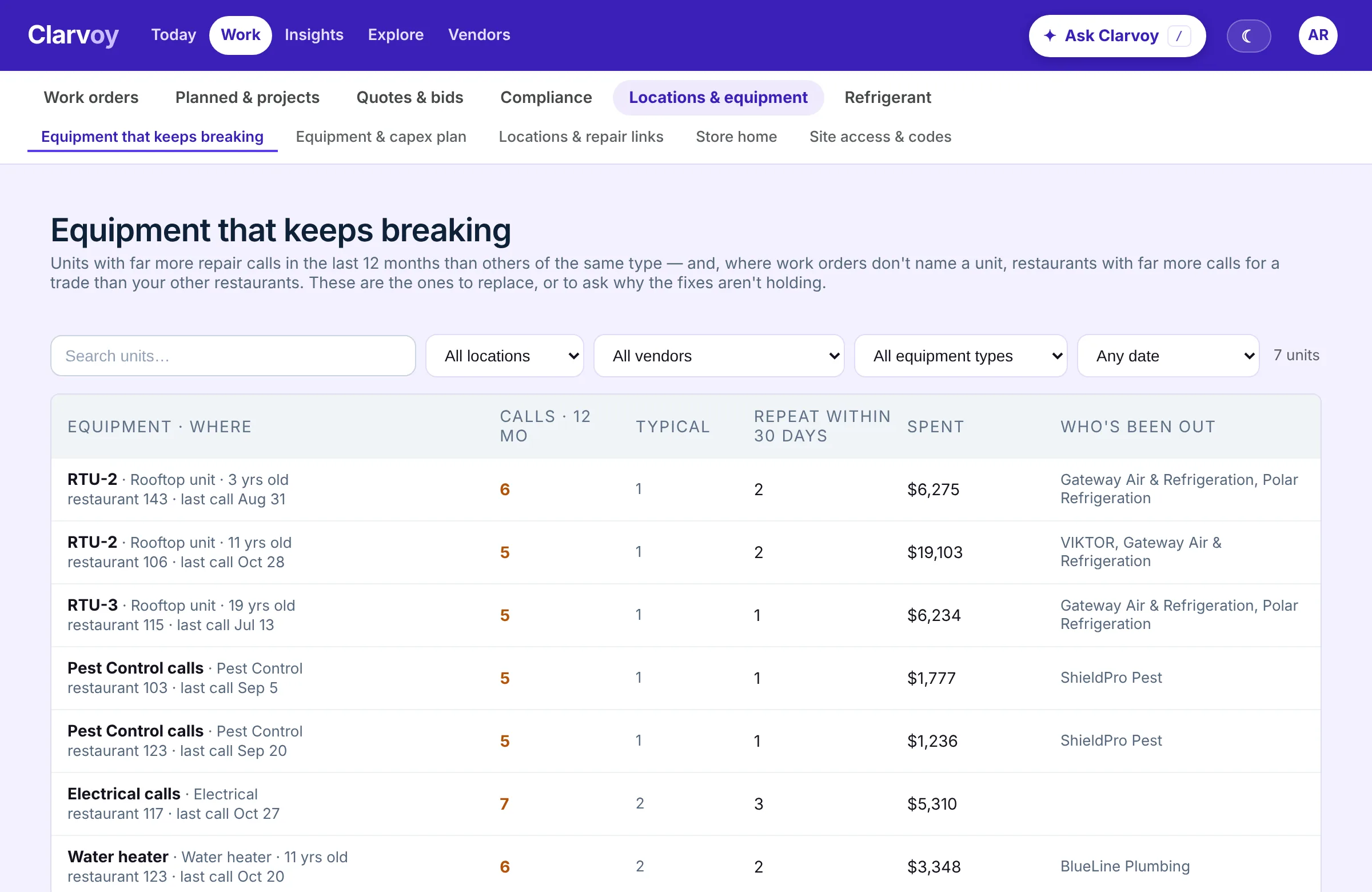
Fryers, ice machines, rooftop units…
Calls per unit per year and cost per call for each type of equipment, and which makes fail most, so the next purchase is a better one.
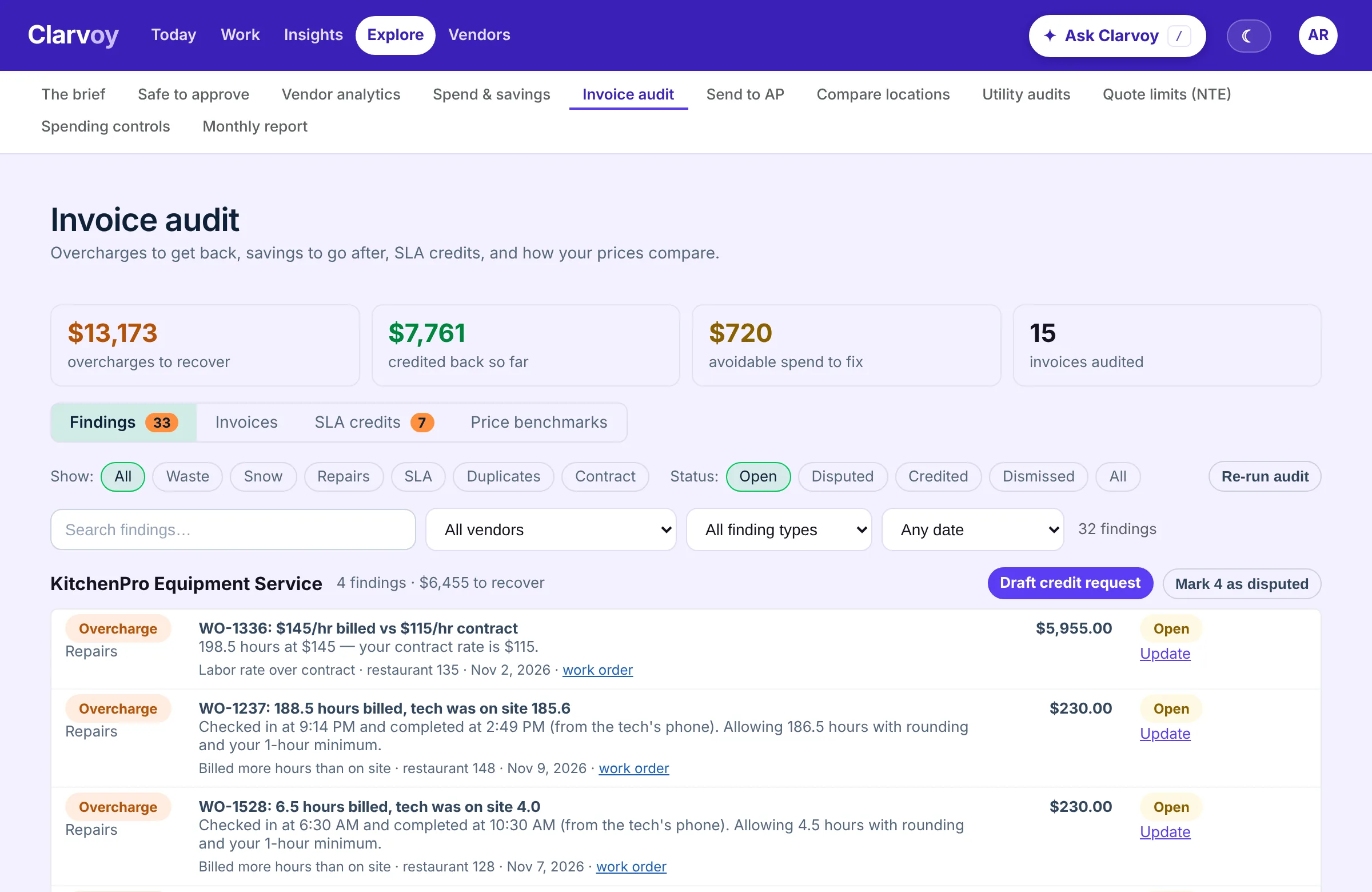
Pay for what was agreed, and what actually happened
Repair invoices are checked against the tech's time on site and your approved rates, snow invoices against the weather, and waste invoices against the contract. Then Clarvoy drafts a credit request for each vendor.
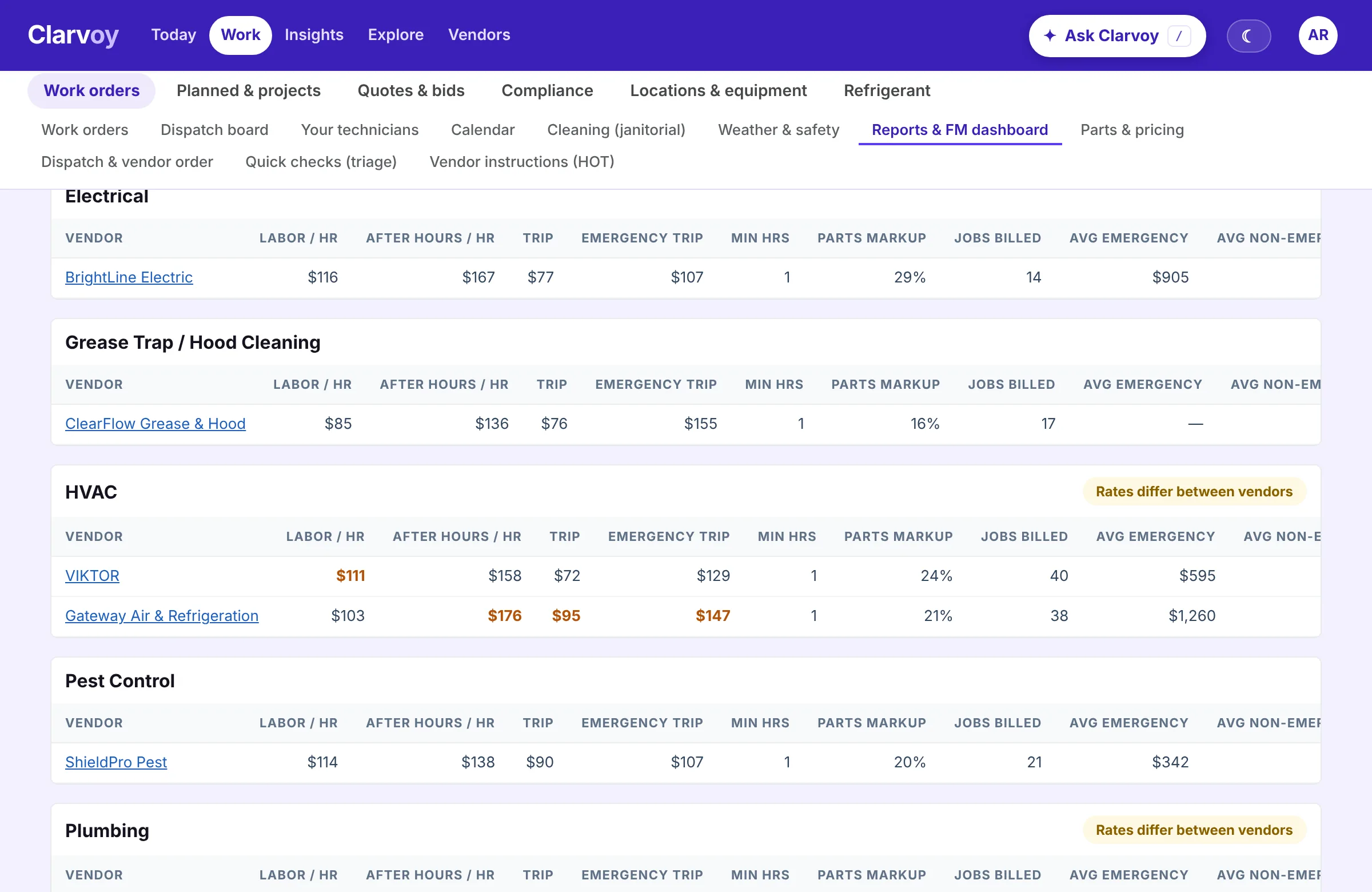
Same trade, different rates?
Every vendor's approved rates for a trade side by side, next to what their jobs actually cost and how long they were on site. Filter it all by emergency or non-emergency, vendor, state, region, district or FM manager.
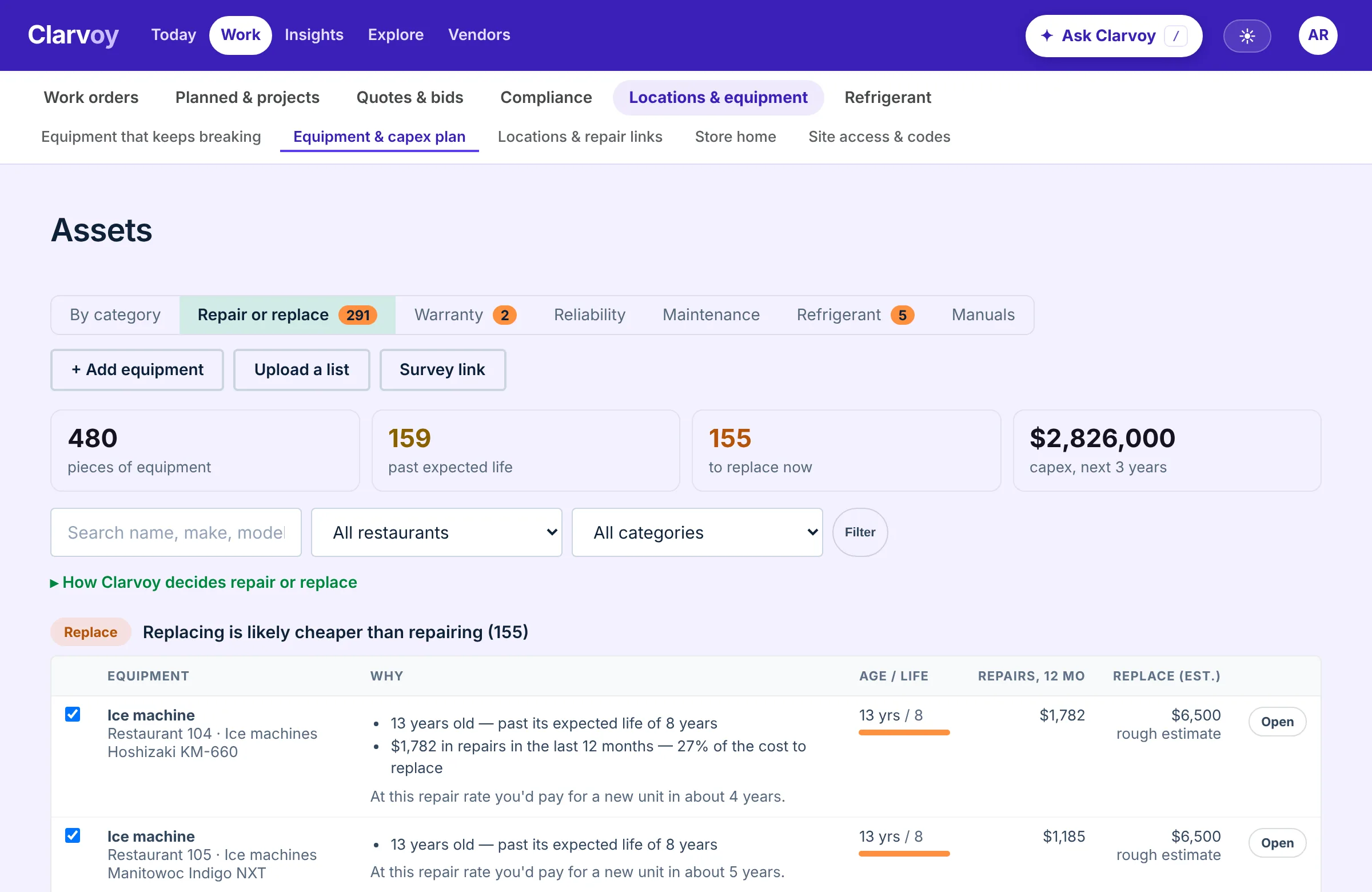
Know what's at every location, and what to replace next.
Send a survey link to your vendors. Techs photograph each nameplate, and Clarvoy reads the make, model, serial number and age.
- Repair or replace, flagged automatically from age, repair history, refrigerant use and quotes.
- A five-year capex plan, and one RFP for every unit that should be replaced.
- Warranty checks before you pay for a repair the manufacturer should cover.
- A repair link and QR code for every location, so staff can request repairs without a login.
- A page for every location: work order and PM history, equipment, photos, building plans, video walkthroughs and 3D tours, notes, remodel and closing dates, and a compliance schedule (fire, backflow, grease) with reminders.
- Every required inspection, every location, one board.NEW Hood cleaning, grease traps, fire suppression, extinguishers, backflow, elevators: see what's overdue, due in 30 days, or done without proof across all your locations. Clarvoy opens the work order to the right vendor before it's due, marks it done when the vendor finishes with their report and photos attached as proof, and gives you an audit report (PDF) for insurance or an inspector.
- Utility bill audits.NEW Upload electric, gas and water bills (or import a spreadsheet) and Clarvoy checks every location for usage spikes that point to a leak, late fees, estimated reads, duplicate or missing bills, bills after a location closed, and rates out of line with your other locations.
- Construction handoffs.NEW When a new location or remodel is finished, the contractor uses a no-login link to upload the closeout documents, close the punch list and list every piece of equipment with its serial and warranty. Accept it and the equipment, warranties, drawings and inspection schedule become the location's.
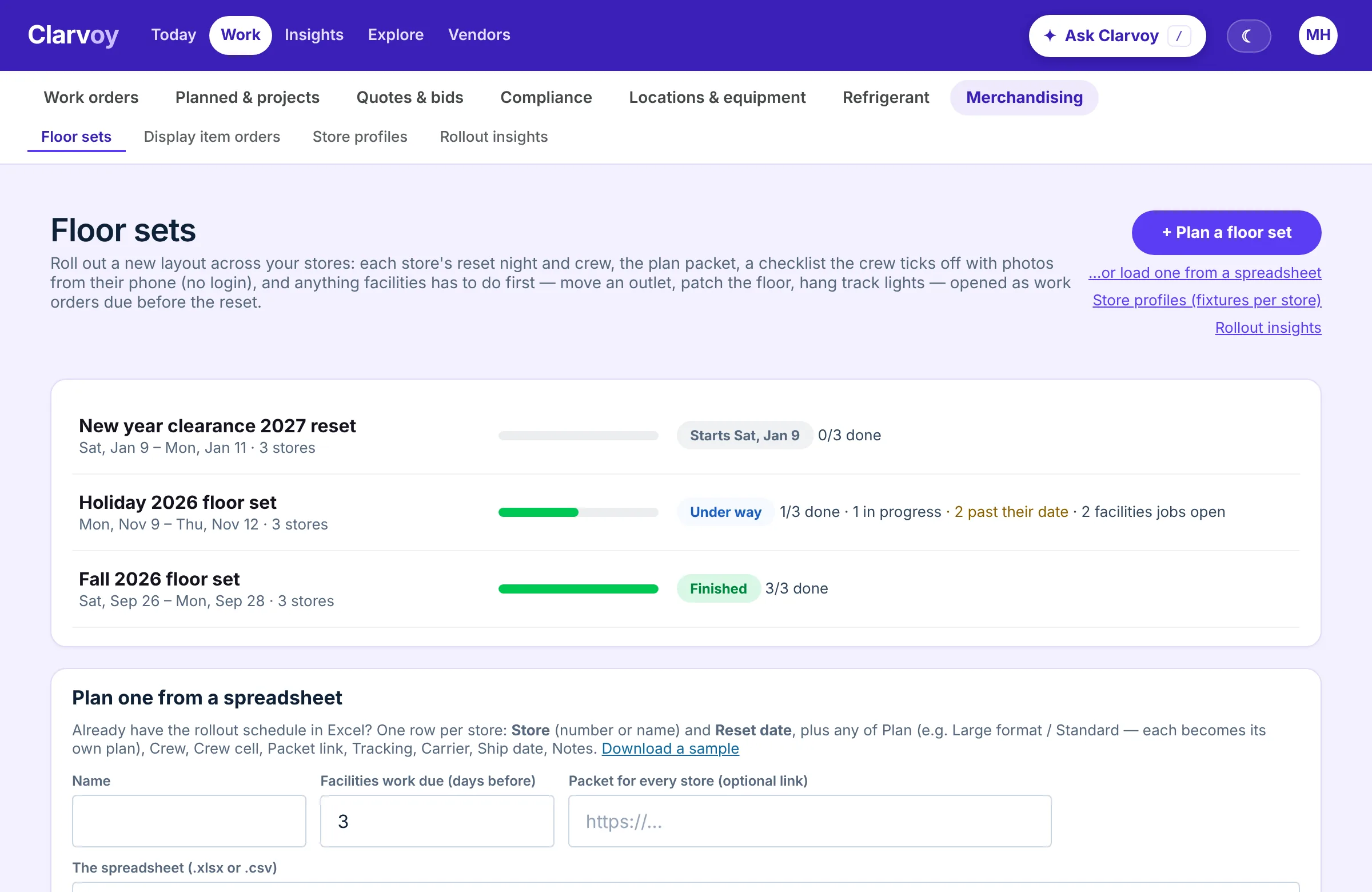
Roll out a new layout to every store, and know it was done right.
For retail, grocery and convenience stores: every reset in its own workspace, tied to the facilities work that has to happen first.
- Plan it, or load it from a spreadsheet: each store's reset night, its plan (big stores and small stores rarely get the same set), the packet, the crew and who's scheduled from your staff list.
- Facilities work done first. Outlets, floor patches and track lighting become work orders due days before each store's night, and move if the night moves.
- Materials, store by store. Quantities work out from each store's fixtures ("1 per window", "2 per table"), with an allocation file for the print shop. Stores check everything in, or report damaged, short or missing with a photo.
- The crew works from their phone: the packet, a checklist with photos, and sign-off with after photos. Clarvoy checks the photos against how it should look, then you approve or send it back.
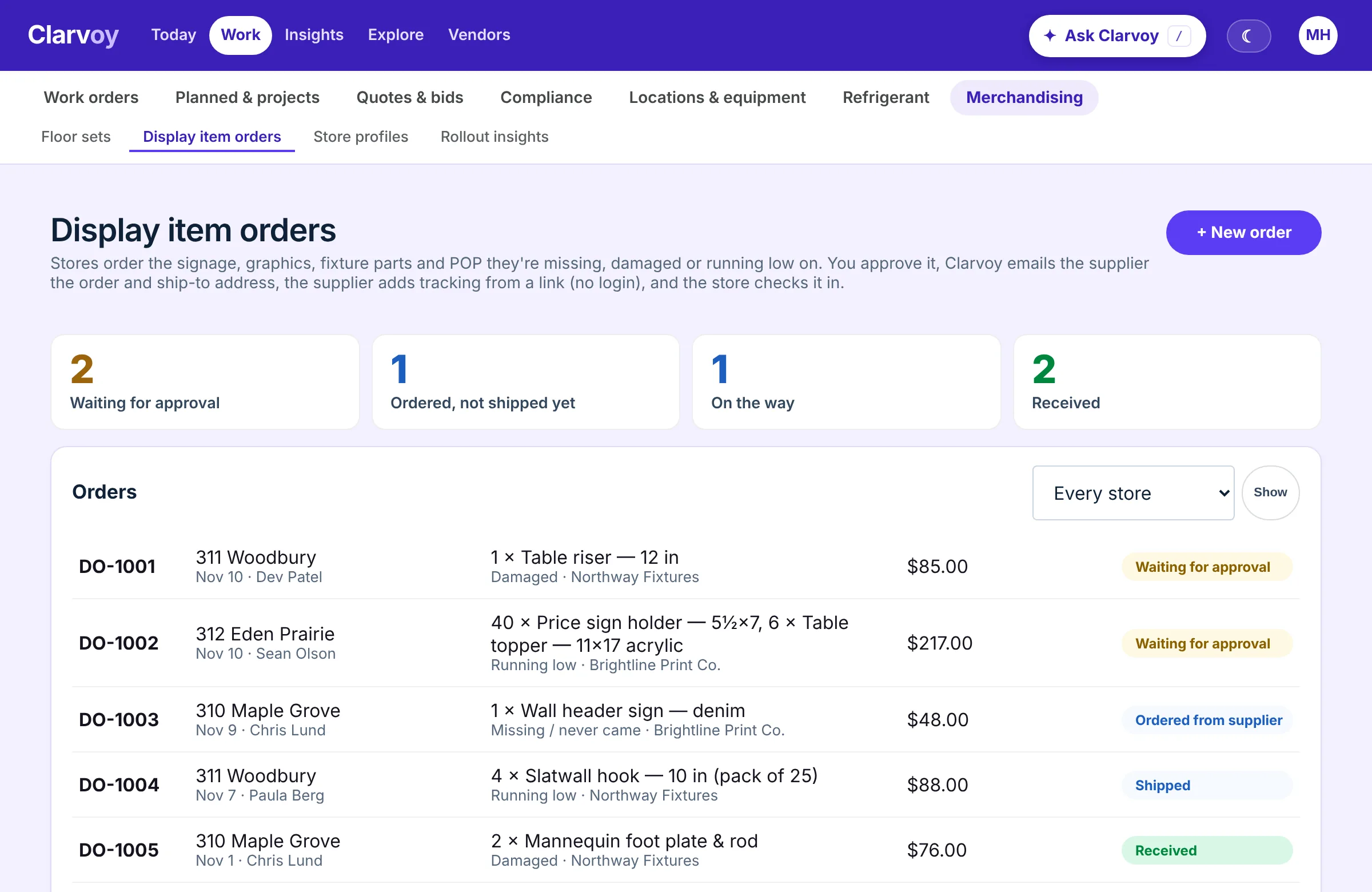
- Display item orders. Stores order missing or damaged signage and fixture parts anytime; you approve, the supplier gets the order and adds tracking.
- Rollout insights: on time, sent back, photo scores and materials problems by region and plan, and sales four weeks after against four weeks before.
- Any rollout, not just floor sets.NEW Menu boards, LED retrofits, security upgrades: a timeline with your pace and projected finish, up to two scopes, each location's vendor and install date, roadblocks with how long each has been stuck, and where the materials are staged.
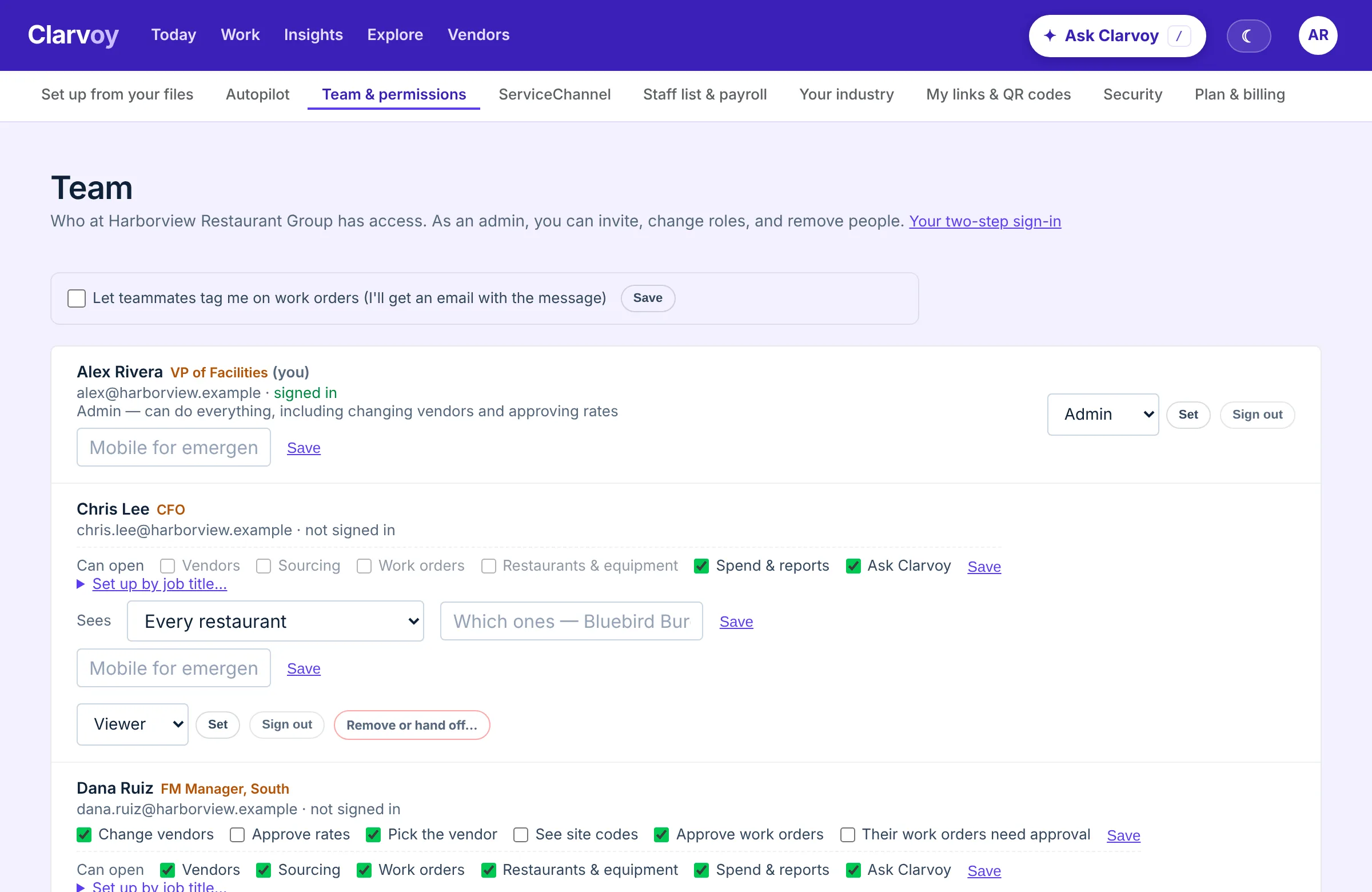
A VP sees everything. A location manager sees their location.
For each person, you choose which locations they see and which parts of Clarvoy they can open. You can also start from a ready-made setup for their job title, then adjust it. Everyone on your team is included at no extra cost.
VP or director
Every location, every workspace, and the numbers behind every decision.
Regional or district manager
Only their region's locations. They approve and assign work orders, but don't see RFP pricing or spend.
Location manager
Their own location's work orders and equipment. Their requests can wait for approval before they go to a vendor.
Procurement
Vendors by trade, RFPs scored as a team, and contracts and rates on record.
Finance
Invoices checked before they're paid, POs matched, savings logged, and a monthly report.
Vendors & techs
They accept work, check in, and send quotes, invoices and rates, then get qualified once for every company on Clarvoy. They can also send their own quotes and invoices to any customer, even a homeowner, with a link to accept or pay, and opt in to job offers by text from companies near them.
- Staff list from payroll.NEW Connect ADP, Paychex, Gusto, UKG, Workday and 250+ more (an add-on), or upload a list for free. New hires land at the right location, and anyone who leaves loses access the same day.
- Real labor cost.NEW Your technicians' pay rates (with taxes and benefits) cost their time on every work order, next to what a vendor would have charged.
Fits the way you already work.
Most multi-site teams are partway through a contract with someone. You don't have to replace anything to start using Clarvoy.
Already on ServiceChannel or Fexa?
Import your work order history and keep dispatching there. Clarvoy adds vendor management, sourcing, invoice audits and reports.
Use a facilities aggregator?
Their subcontractors can fill in equipment surveys, and the aggregator can be the last backup in your dispatch order.
No work order system yet?
Turn on Work orders and Clarvoy handles dispatch, PMs, quotes and invoice approvals for every location.
Accounting & spreadsheets
Upload your accounts-payable history to see spend by vendor, and export approved invoices for accounting.
Run your facilities on real numbers.
Vendors and Locations & equipment are free. Every new account gets a 30-day trial of all the add-ons, with no card needed.